
Agency panel: GeoData
How to add a new brand to GeoData
Before you start
If your agency has the feature enabled and its billing ready, you can sign a client up for GEO tracking straight from the panel, without sending any payment link: all you need is the web address of their brand. The GEO subscription is billed to your agency, with the card you have saved, for the amount agreed for your agency (it is shown before you confirm anything).
Tip: If instead of "Gestionado por la agencia" you see the notice "Gestiona tu configuración de agencia", something is missing from your agency's billing: read the guide "Requirements for your agency to create GEO projects". This guide uses the fictional brand "Kharty" (kharty.com) and the "Agencia de Prueba" as an example. The panel itself is in Spanish, so button names are quoted in Spanish.
Step by step
Step 1
Open "Nuevo proyecto" (New project)
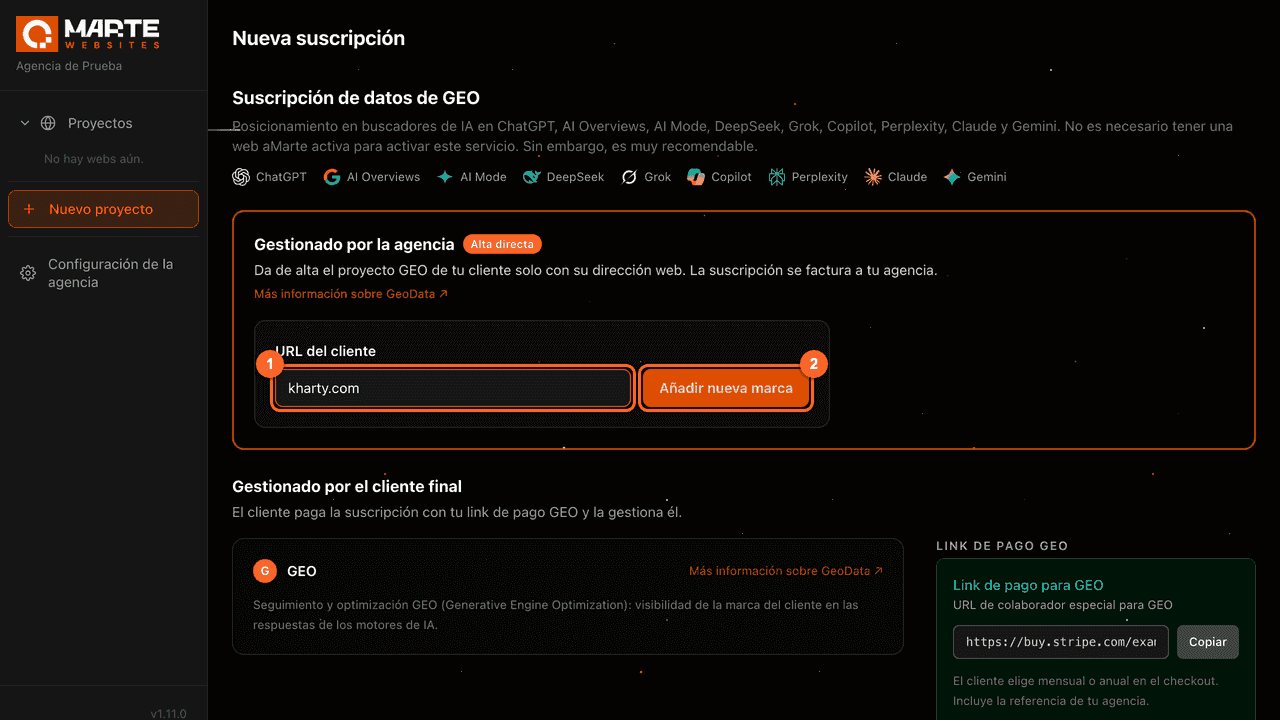
In the left-hand menu click "Nuevo proyecto" (①). The "Nueva suscripción" screen opens.
At the top, inside "Suscripción de datos de GEO", you will see two options. "Gestionado por la agencia" (②, agency-managed), tagged "Alta directa" (direct sign-up), is the one that adds the brand for you. The other one, "Gestionado por el cliente final" (end-client-managed), is explained in the guide "Choosing between agency-managed and end-client-managed".
The "Gestionado por la agencia" option only appears if your agency's billing is ready. If not, you will see the notice "Gestiona tu configuración de agencia" instead, which tells you what is missing.
Step 2
Type your client's domain
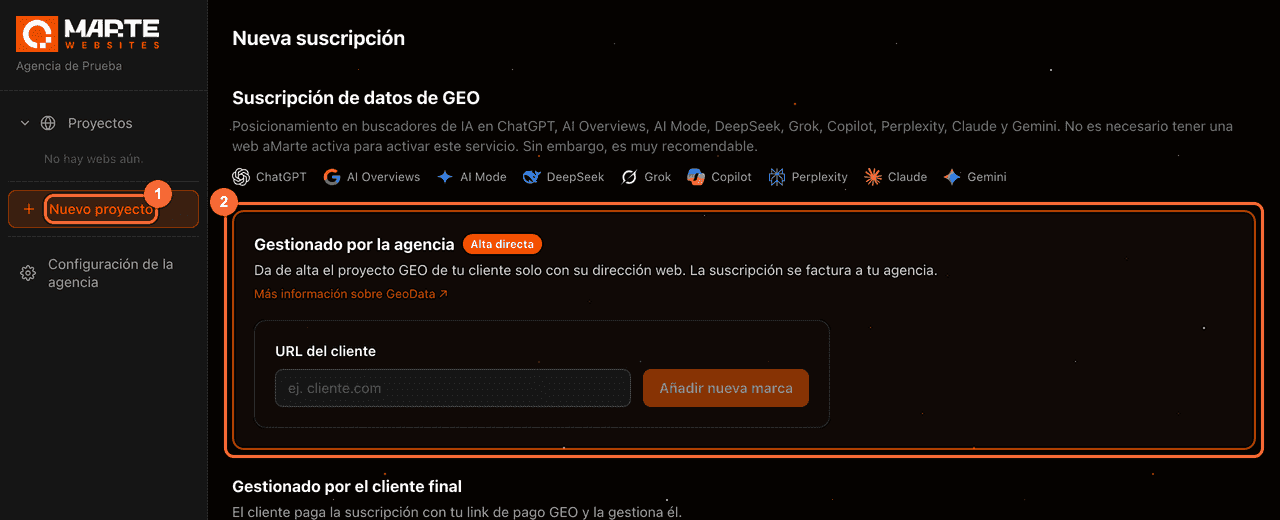
In the "URL del cliente" field (①) type the brand's web address, for example "kharty.com". It does not matter if you include "https://", "www." or a trailing slash: the panel keeps just the domain.
Click "Añadir nueva marca" (②). The button changes to "Comprobando…" (checking) while the panel checks that this domain is not already a project. Nothing is created and nothing is charged yet.
Step 3
If the domain already exists
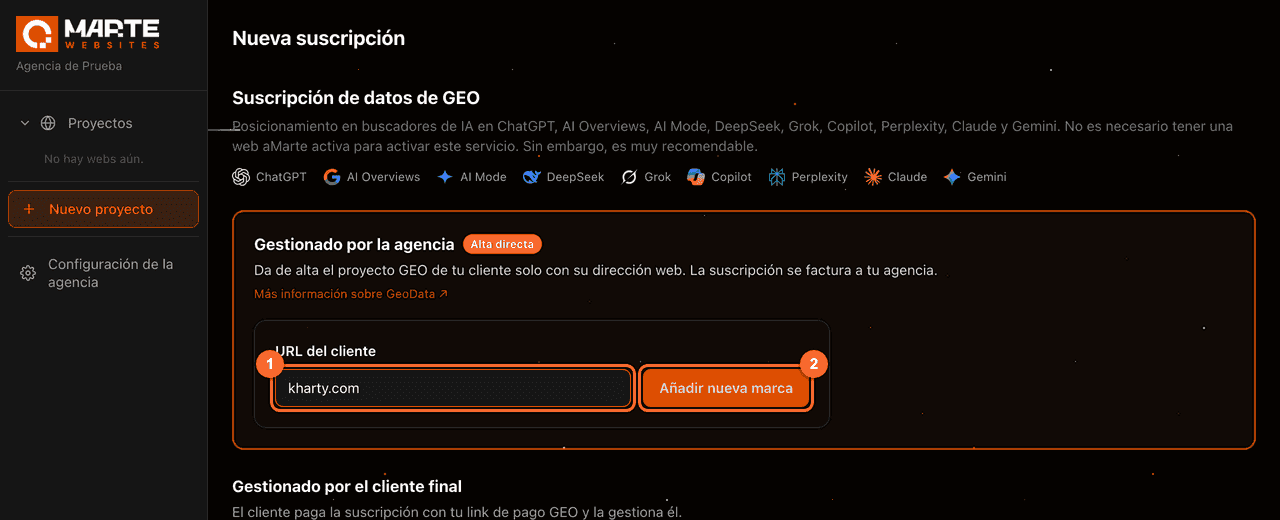
If that domain is already a project, the panel says so with this message (①): "Este dominio ya existe como proyecto, por favor ve su proyecto o contacta con soporte" (this domain already exists as a project, please go to its project or contact support).
If the project belongs to your agency, click "Ver proyecto" (②) to open it. If you think it is a mistake, or the domain belongs to another agency, write to soporte@amartewebsites.com.
Other possible messages: "La dirección web no es válida." (check that it is a domain, for example "kharty.com") and "No hemos podido comprobar el dominio. Inténtalo de nuevo.", with a "Reintentar" (retry) button.
⚠ A domain can only have one GEO project. Do not try to add it again: no duplicate is created and you are not charged twice.
Step 4
If the domain is free, the wizard starts
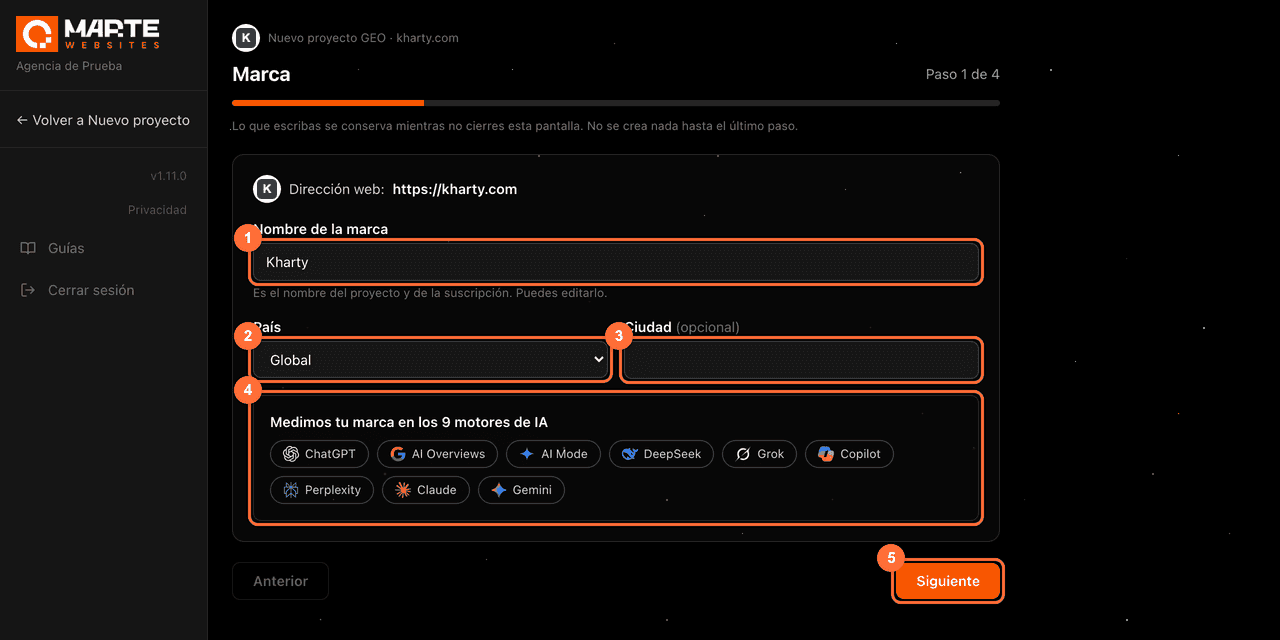
When the domain is free, the panel takes you to the "Nuevo proyecto GEO" wizard on its own, with the domain at the top and the brand's favicon.
The wizard has 4 steps (Marca, Prompts de ranking, Prompts de precisión and Prompts de citación) and a final summary where you confirm the charge. What you type is kept as long as you do not close the screen, and nothing is created until the last step. The steps are covered in the guide "How to complete the GEO sign-up wizard" and the summary in "How to confirm the GEO sign-up".
Step 5
From your phone
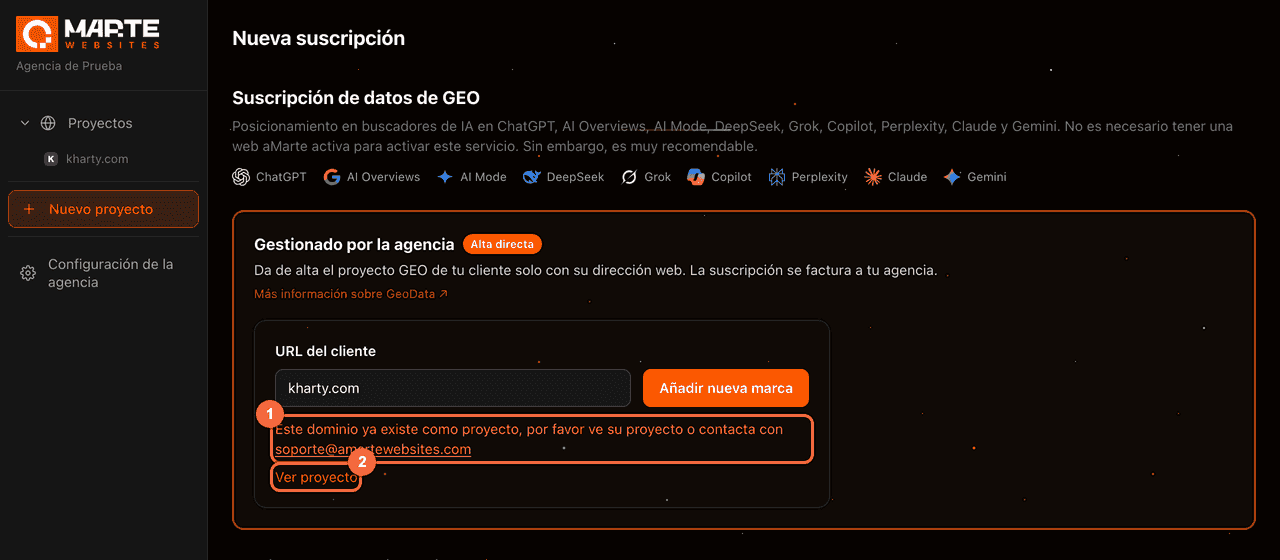
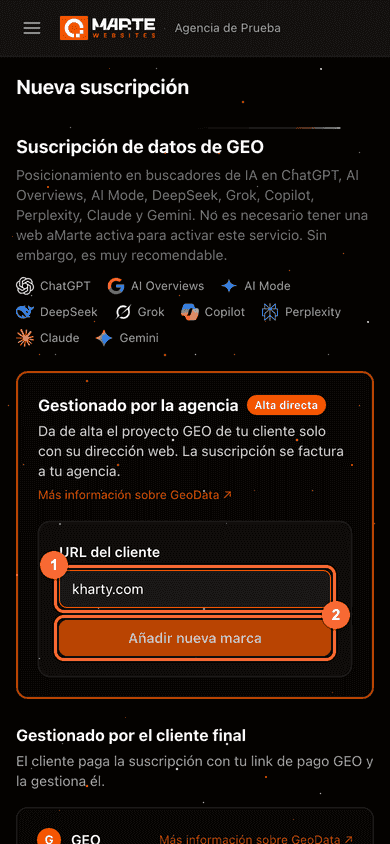
The process is the same on mobile. Open the menu (☰), go to "Nuevo proyecto", type the domain (①) and tap "Añadir nueva marca" (②).
Frequently asked questions
What do I need to add a brand?
From the client, only their domain: the brand name, the country and the prompts are chosen afterwards, in the wizard. From your agency, the feature enabled by aMarte and its billing ready (billing customer, payment method and address), which you complete yourself in "Configuración de la agencia".
See the guide "Requirements for your agency to create GEO projects"Who pays for the subscription?
Your agency. The GEO subscription is billed to your agency with the card you have saved, and the first charge is immediate, when you confirm in the final summary. The amount is the one agreed for your agency and it is shown before you confirm.
See the guide "How to confirm the GEO sign-up"Am I charged when I click "Añadir nueva marca"?
No. That button only checks that the domain is free. Nothing is created and nothing is charged until you confirm in the final summary.
Can I add a domain that already exists?
No. Each domain has a single GEO project. If it already exists, open its project with "Ver proyecto" or write to soporte@amartewebsites.com.