
1
Open the Customers section
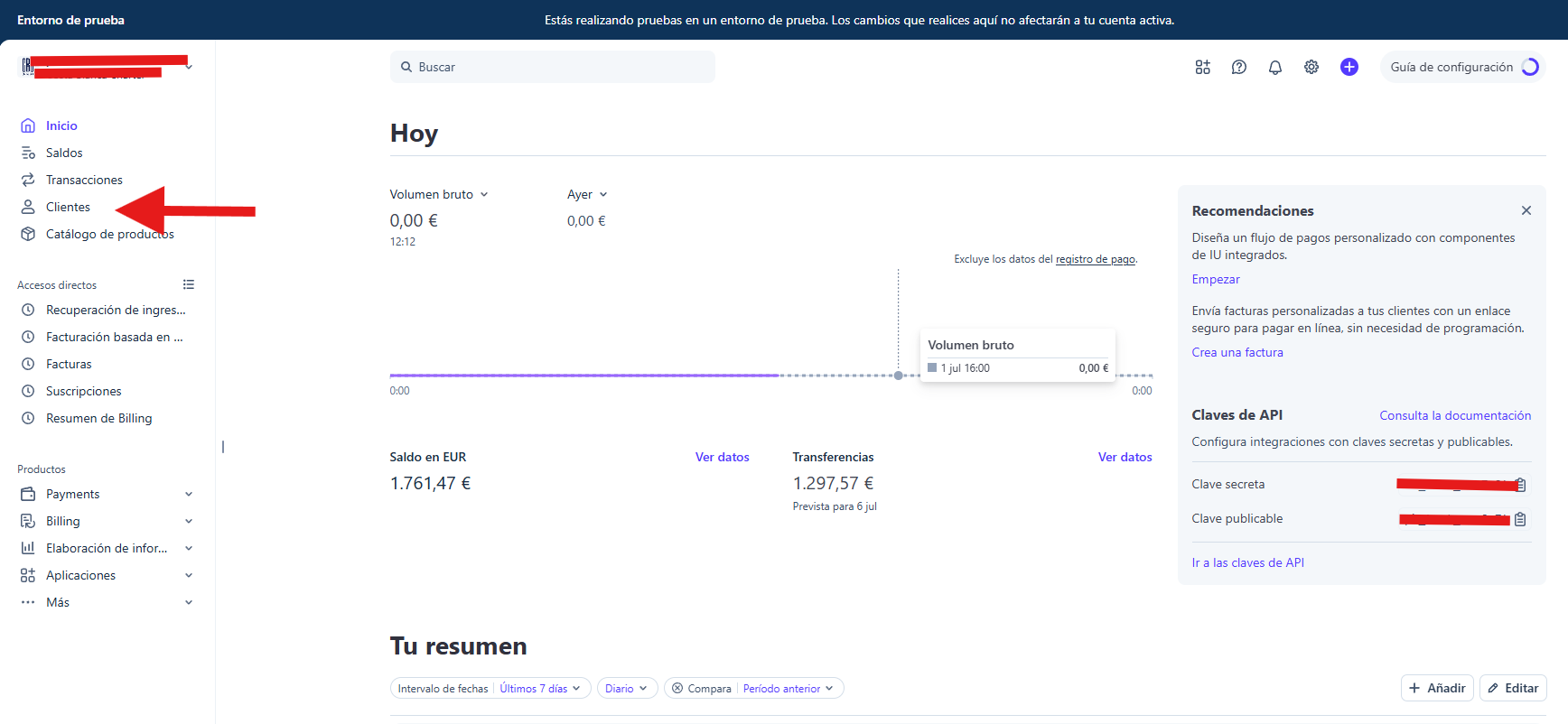
Log in to your Stripe dashboard. In the left-hand menu, click Customers. This lists everyone who has paid you or has an active subscription with you.
When you manage your customers' payments in Stripe, the first thing you need is to know how to find them. In this guide you'll see, in just a few steps, how to locate any customer from your Stripe dashboard.
Log in to your Stripe dashboard. In the left-hand menu, click Customers. This lists everyone who has paid you or has an active subscription with you.
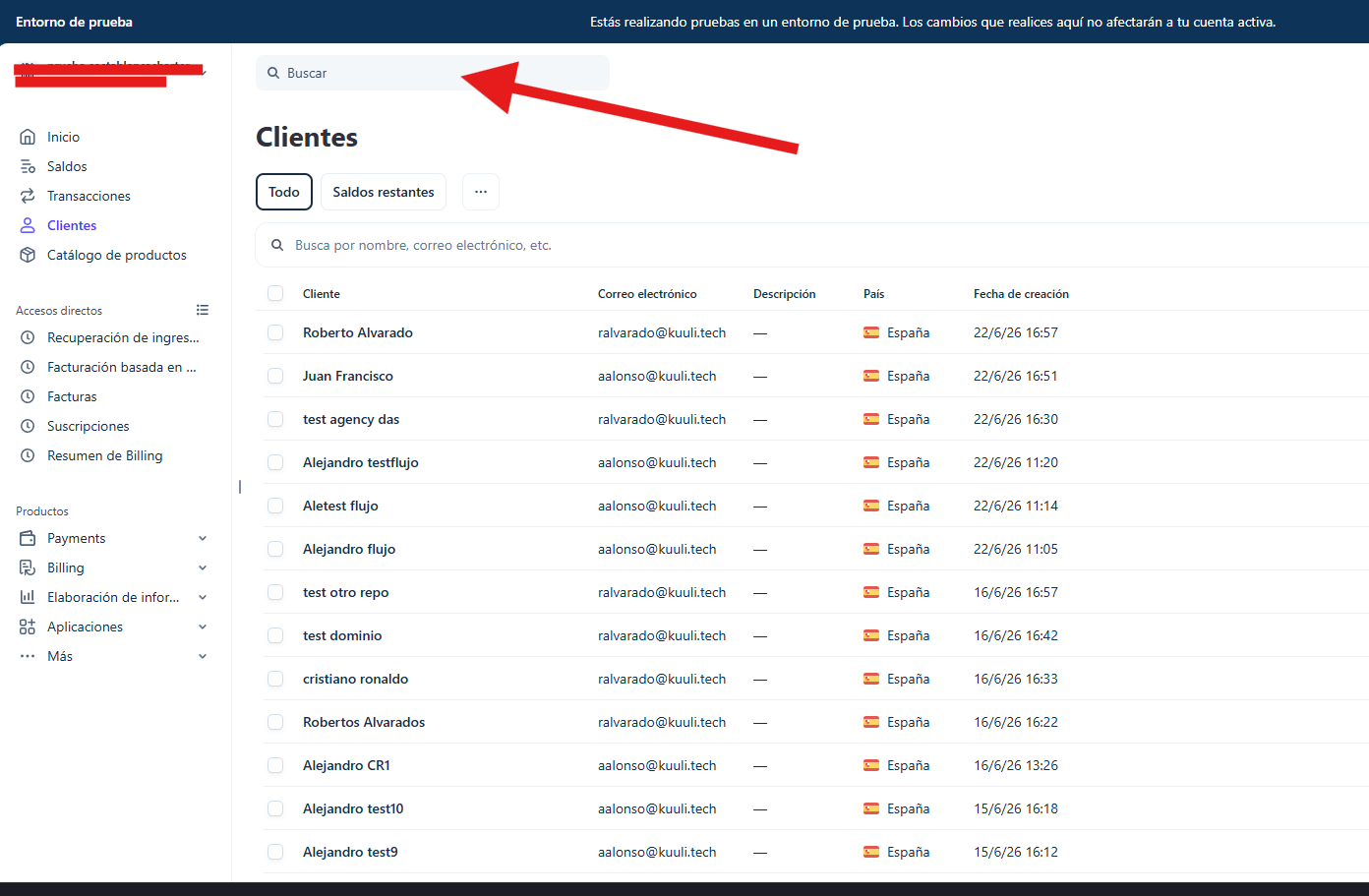
At the top you'll see a search bar. Type the customer's name, email or part of their details and the list will filter instantly.
You can also browse the list manually: each row shows the name, email, country and the date they were created.
Click on the customer's name to open their profile. From there you can see their subscriptions, payment history and contact details — and, if you need to, issue a refund.