
1
Go to the Stripe login page
Open your browser (Chrome, Safari, etc.) and go to this address:
https://dashboard.stripe.com/login
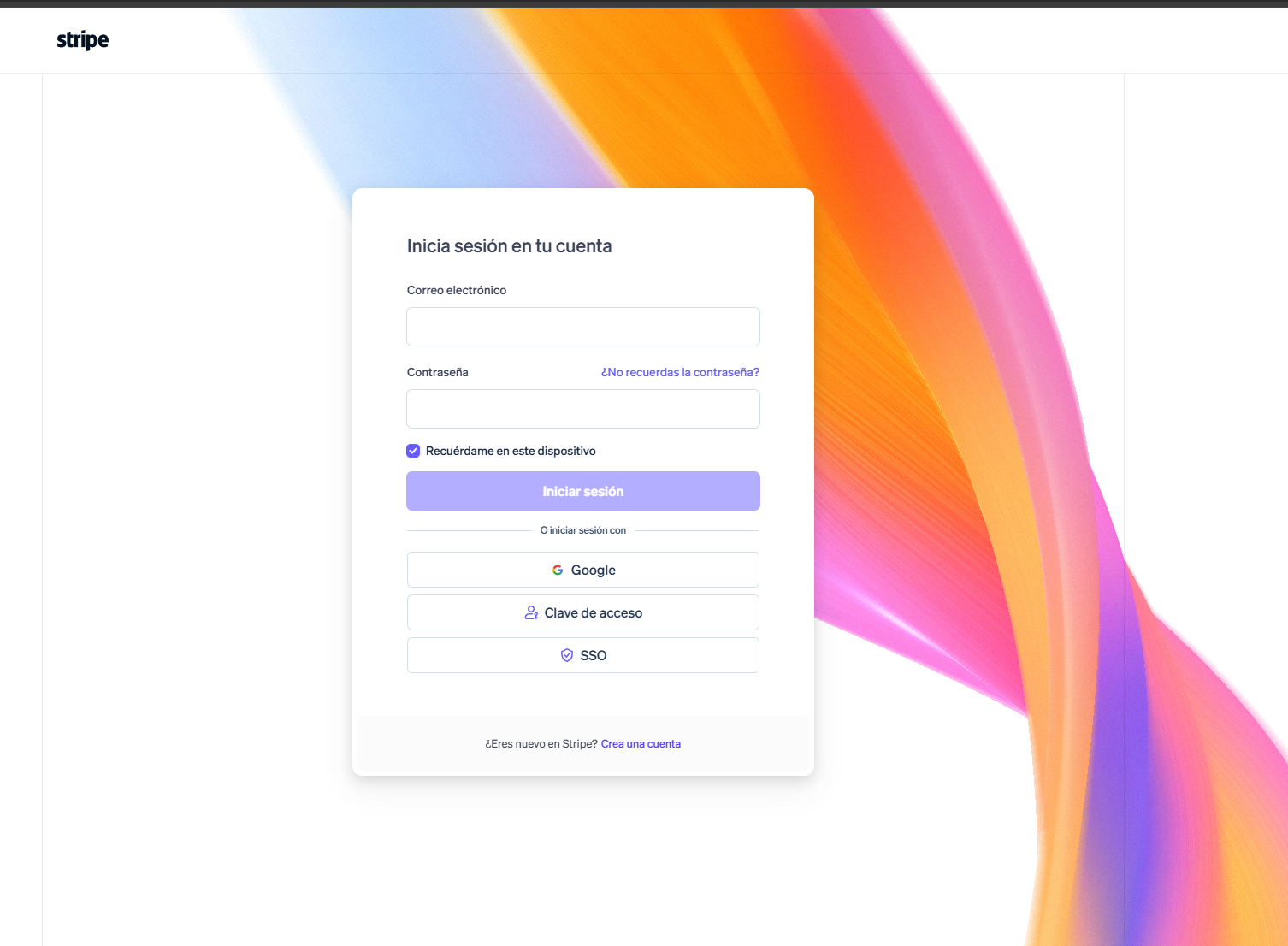
Step-by-step guide to reset your password when you can't access your Stripe account.
Open your browser (Chrome, Safari, etc.) and go to this address:
https://dashboard.stripe.com/login
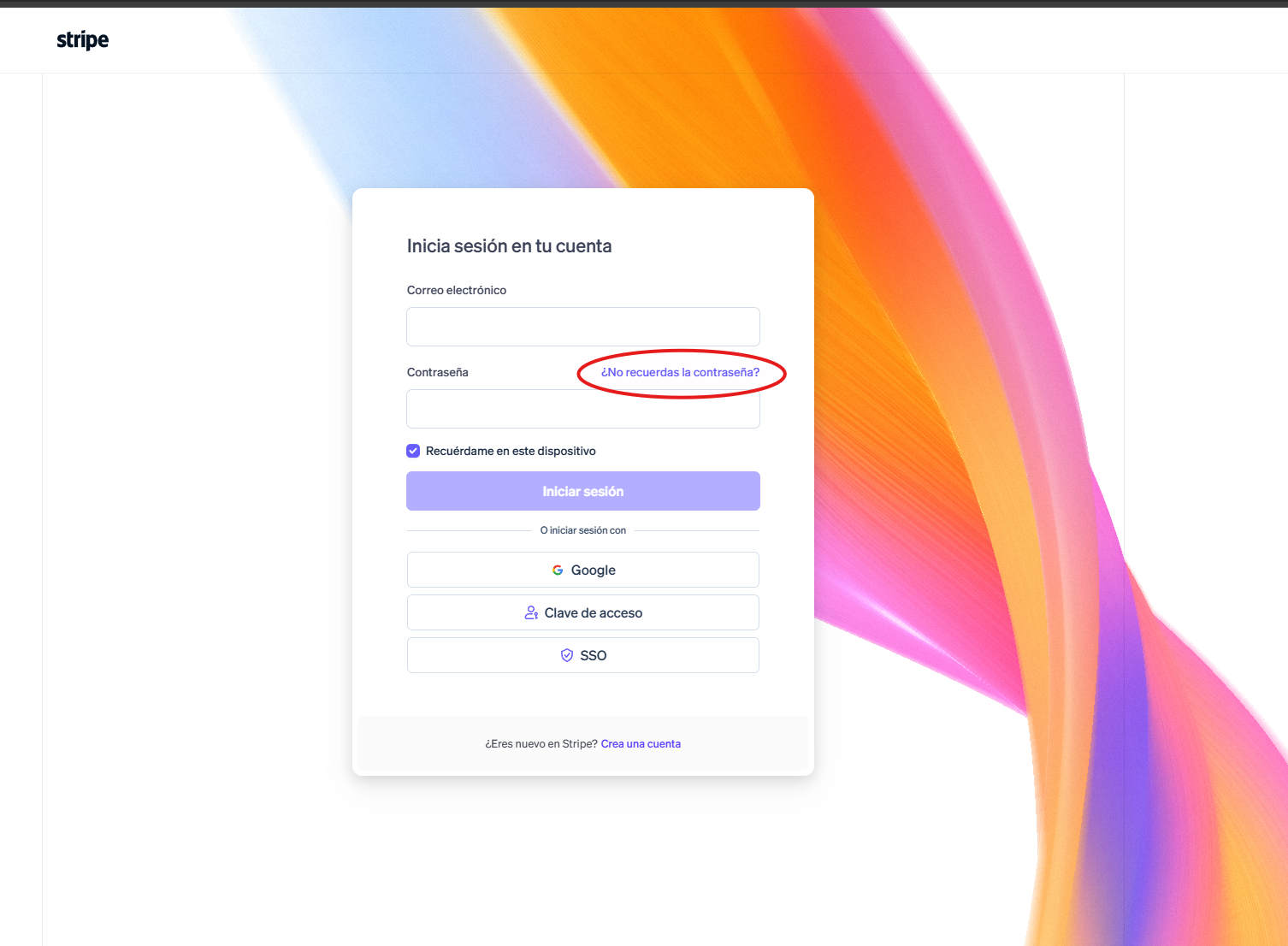
That link is right below the password field.
It's the same email the Stripe account was registered with (that email is your “username” in Stripe).
Can't remember which email was used to sign up? Check your inbox (and spam folder) for previous emails from Stripe. The sender is usually something like notifications@stripe.com.
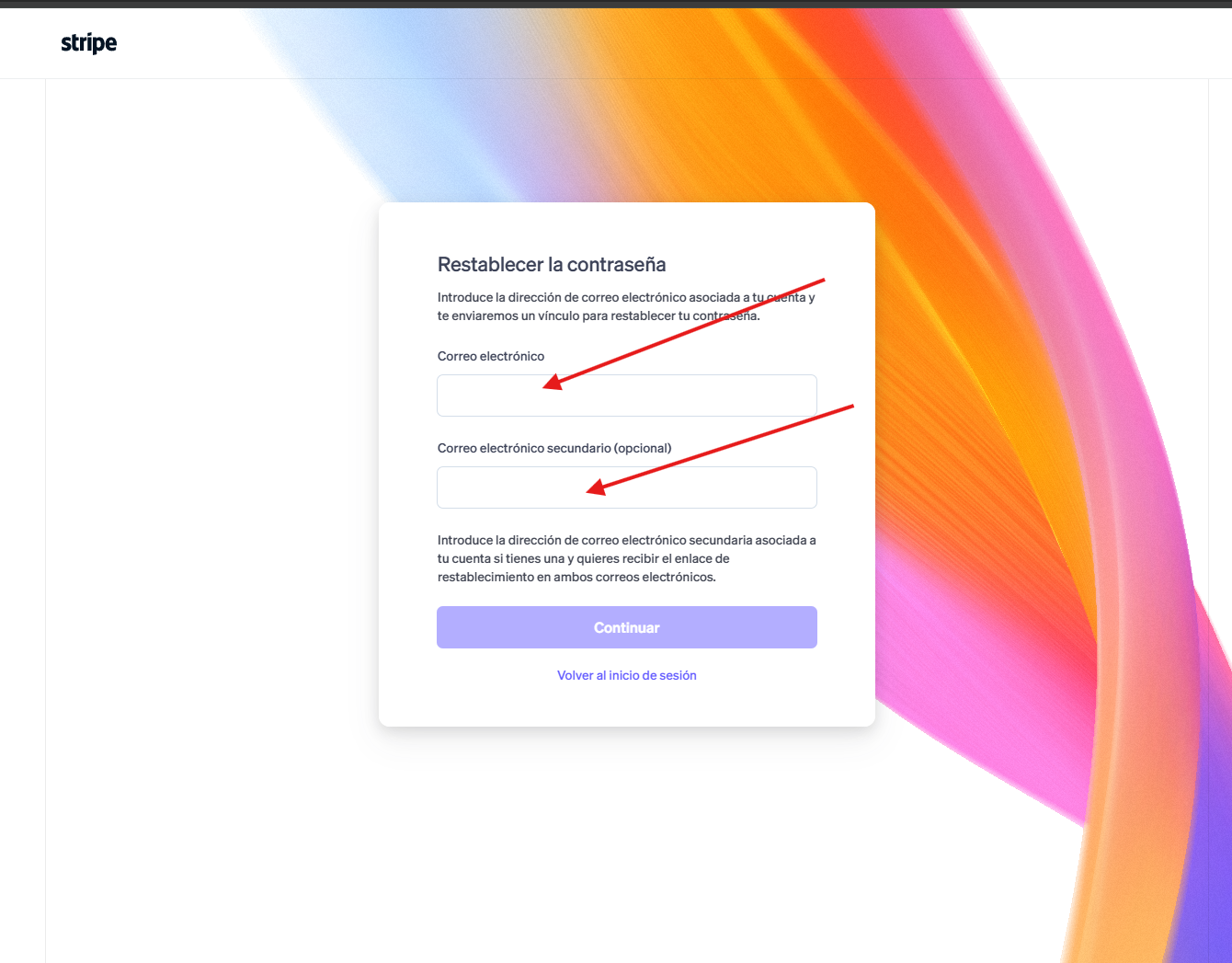
Click the button to continue/submit (it may say “Continue” or “Send link”).
Stripe will send an email with a link to create a new password. It may take a few minutes to arrive; if it doesn't show up, check the spam or promotions folder.
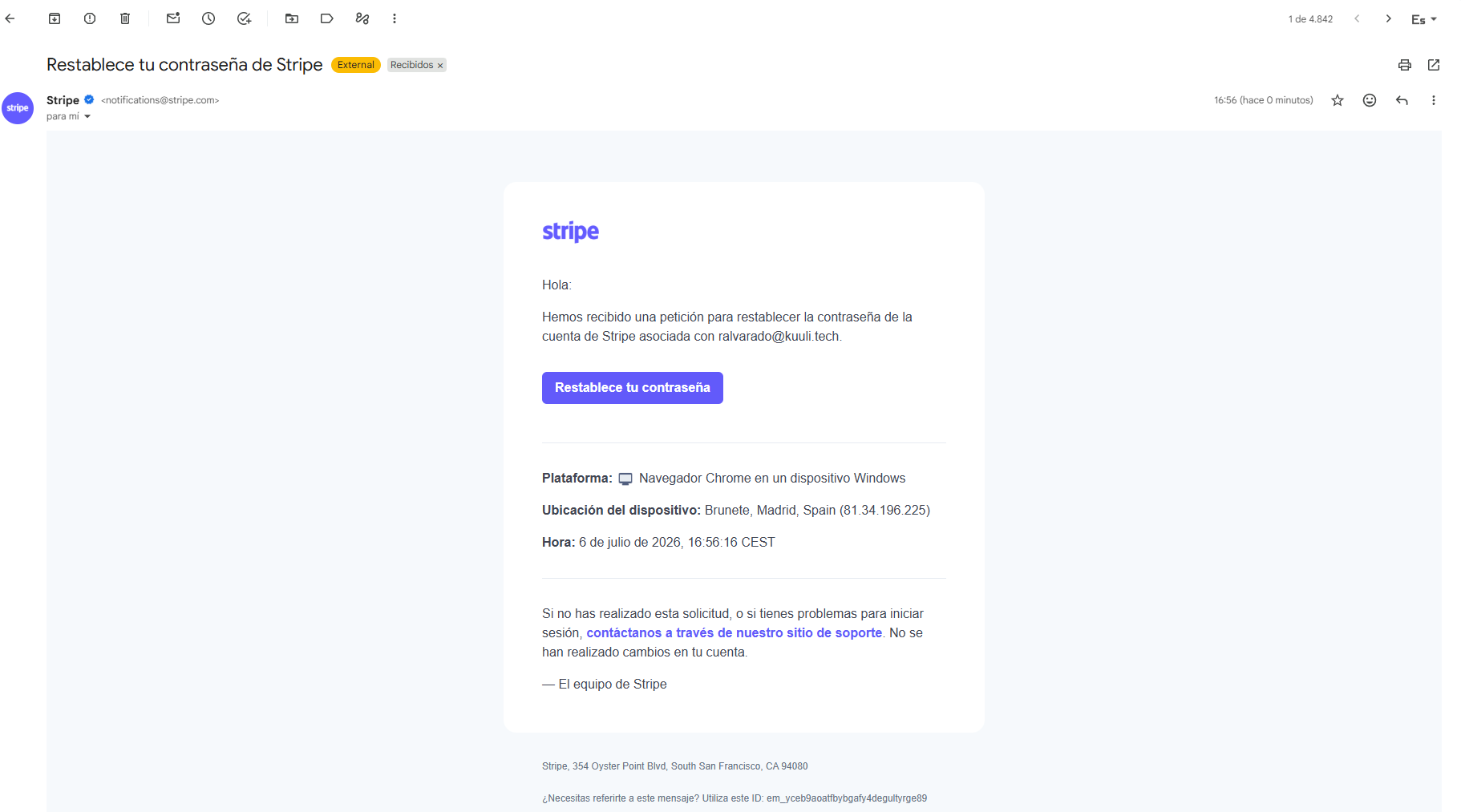
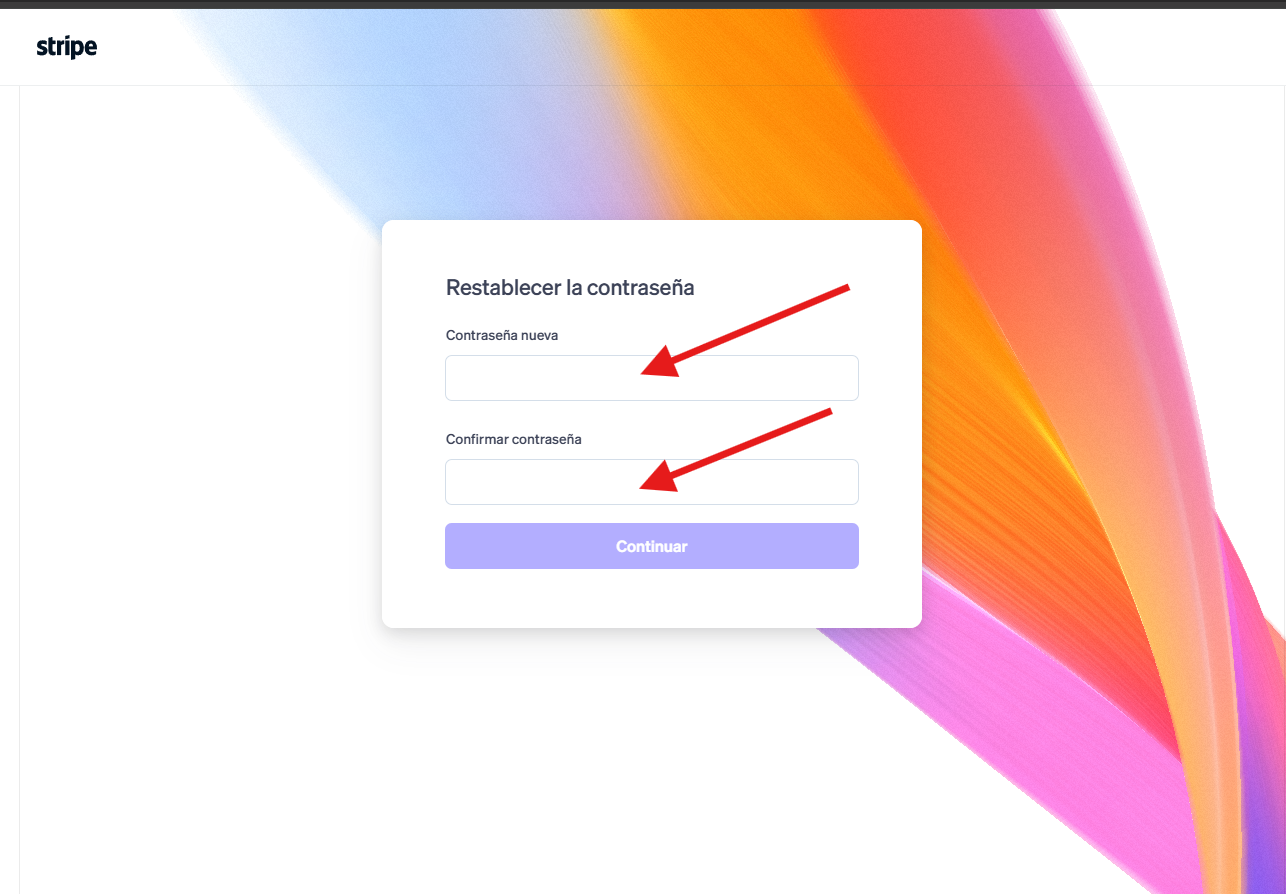
Clicking the link in the email will open a page to create the new password.
Type the new password twice (to confirm it) and save the changes.
Password recommendations: - At least 8-10 characters. - Combine letters, numbers and a symbol. - Don't reuse the password from other important accounts. - Write it down somewhere safe (ideally a password manager).
Stripe will send an email confirming that the password was changed successfully.
Go back to https://dashboard.stripe.com/login and enter your email and the new password.
The recovery email doesn't arrive: wait a few minutes, check spam, and verify the email you entered is exactly the one registered with Stripe.
It asks for a verification code (two-factor authentication) and you don't have it: this is a different problem from the password. In that case, contact Stripe support directly at support.stripe.com to recover access.
The account is connected to another platform (for example, if Stripe is used through Shopify or another system): the reset must be done from that platform, not directly from the Stripe Dashboard.