
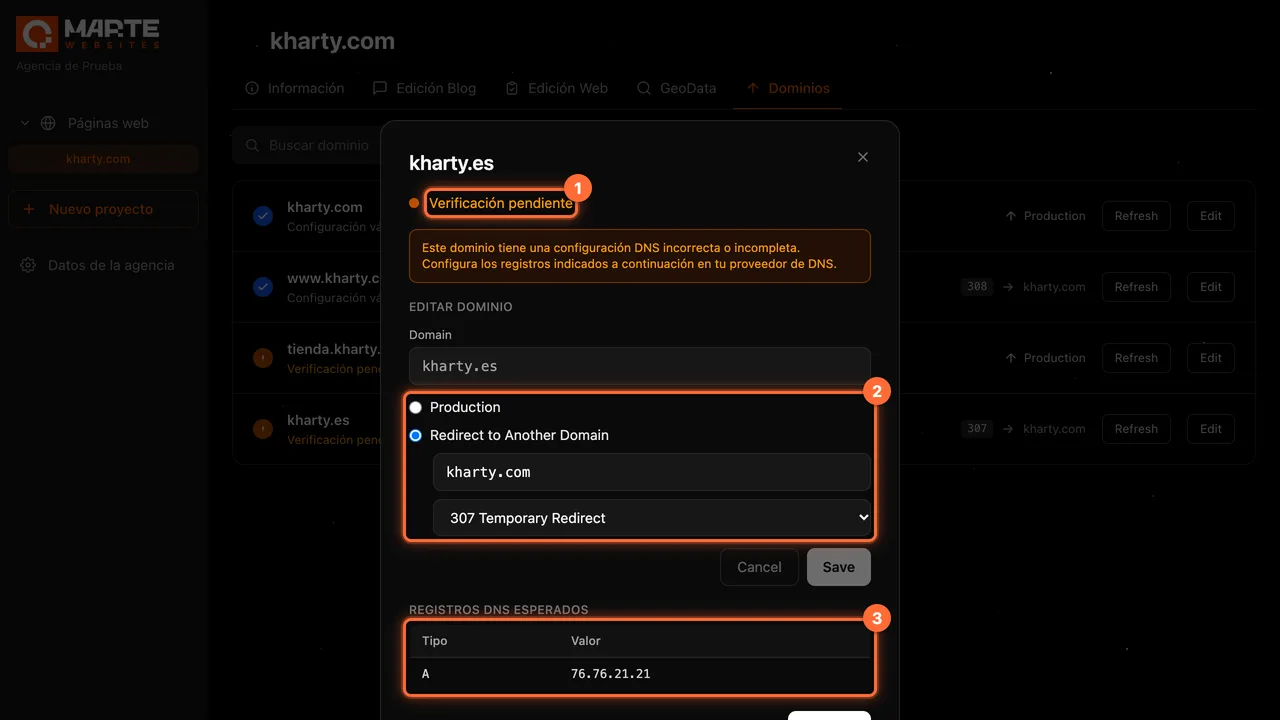
Panel: Domains
How to edit a domain and its redirect
Before you start
Each row of the "Dominios" (Domains) tab has two buttons: "Refresh", which checks the domain's status again, and "Edit", which opens its detail. In that detail, the website's agency and the aMarte team can change where the domain leads. In addition, every role sees the DNS record that has to be configured; the client sees it in read-only mode.
Tip: A domain's name cannot be changed from "Edit". If you got the name wrong, add the right one with "Add" (see the guide "How to add a domain to your website").
Step by step
Step 1
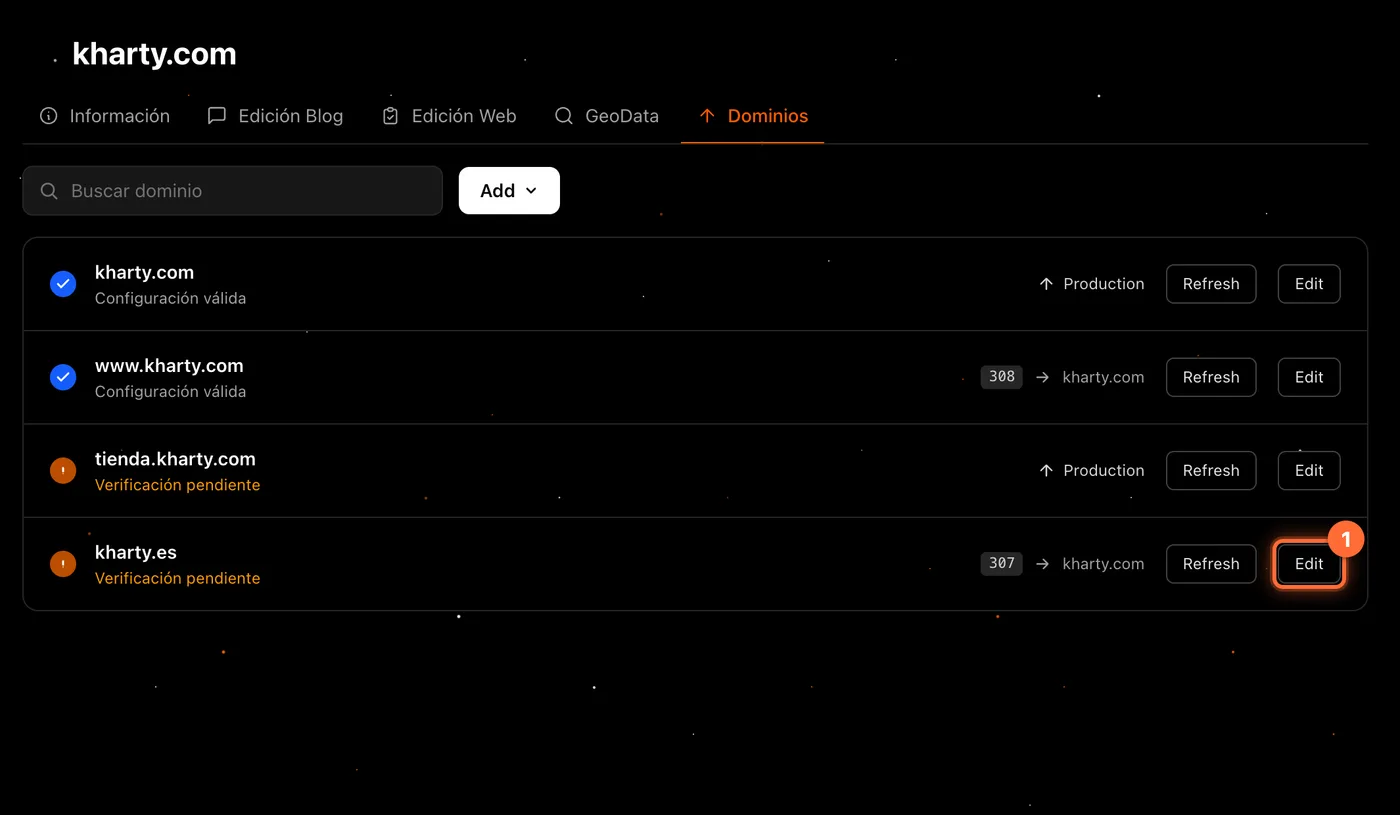
Click "Edit" on the domain
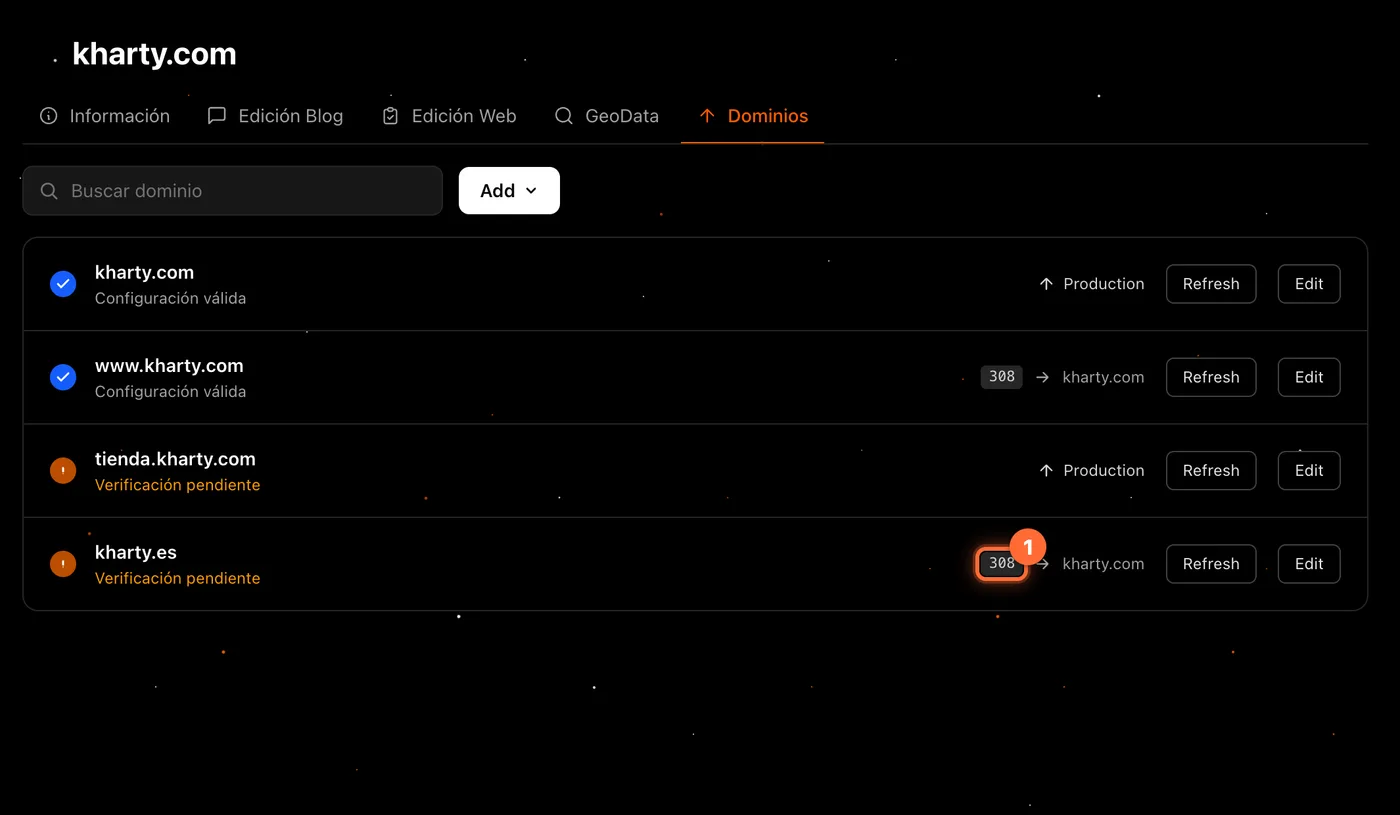
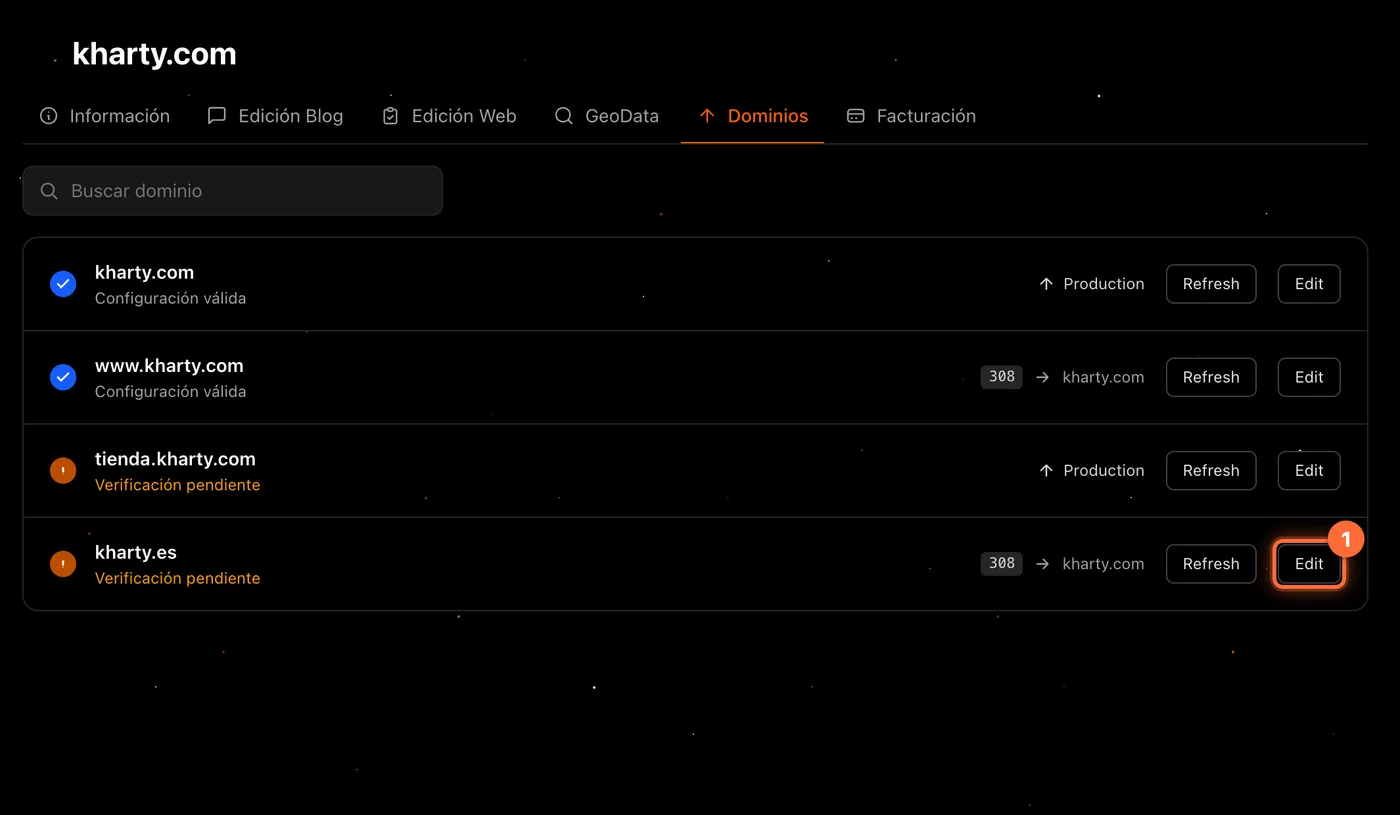
In the "Dominios" tab, find the domain's row and click "Edit" (①). In the example, kharty.es currently redirects to kharty.com with a 307.
Step 2
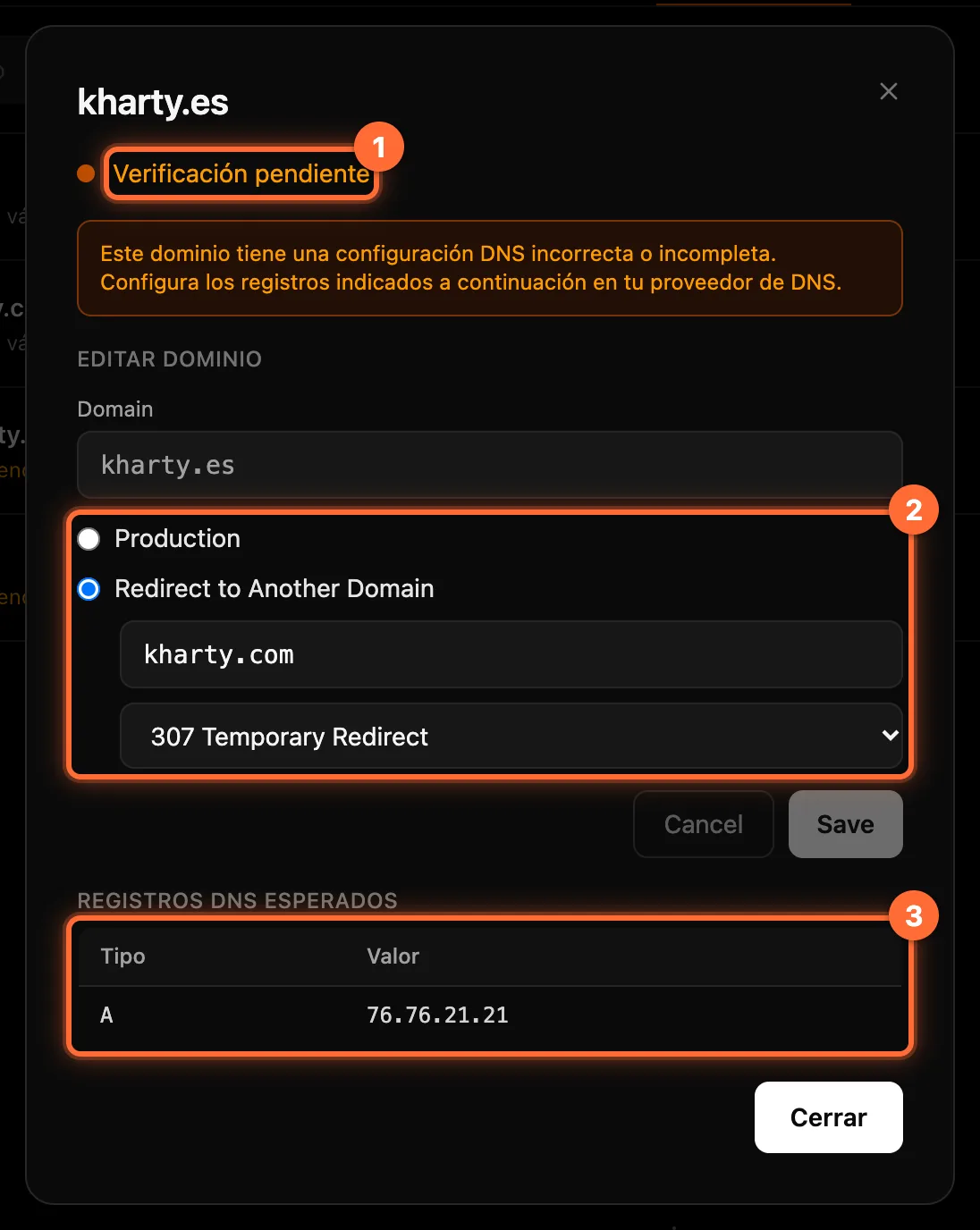
Review the domain's detail
A window opens with the domain's name. From top to bottom: ① The status: "Configuración válida" (valid configuration) or "Verificación pendiente" (verification pending). If the DNS is not correct, a notice says so. ② "Editar dominio" (Edit domain): the "Domain" field, which is read-only, and the two options, "Production" and "Redirect to Another Domain". ③ "Registros DNS esperados" (Expected DNS records): the record you need to create at your provider (Step 5).
Step 3
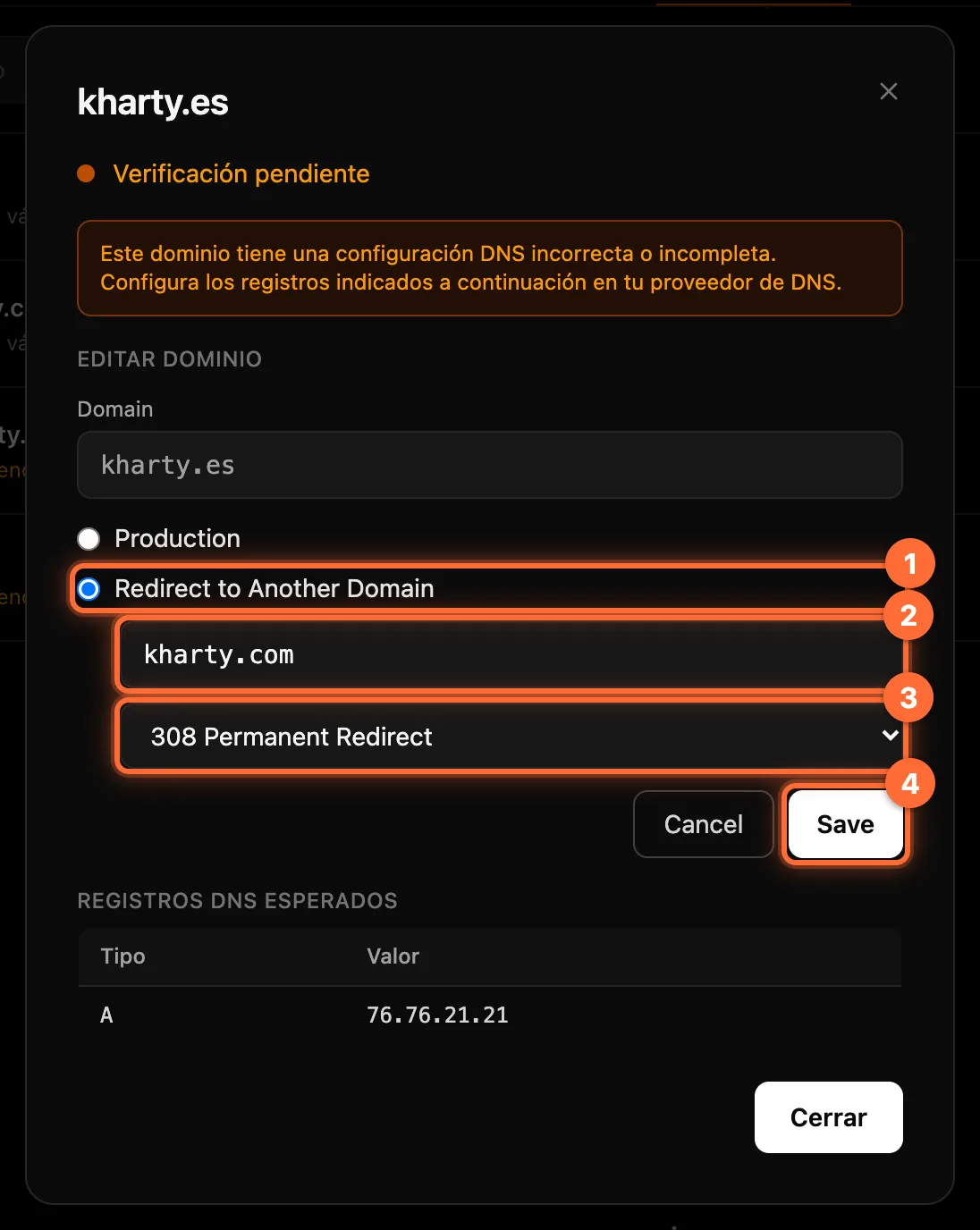
Change the destination and click "Save"
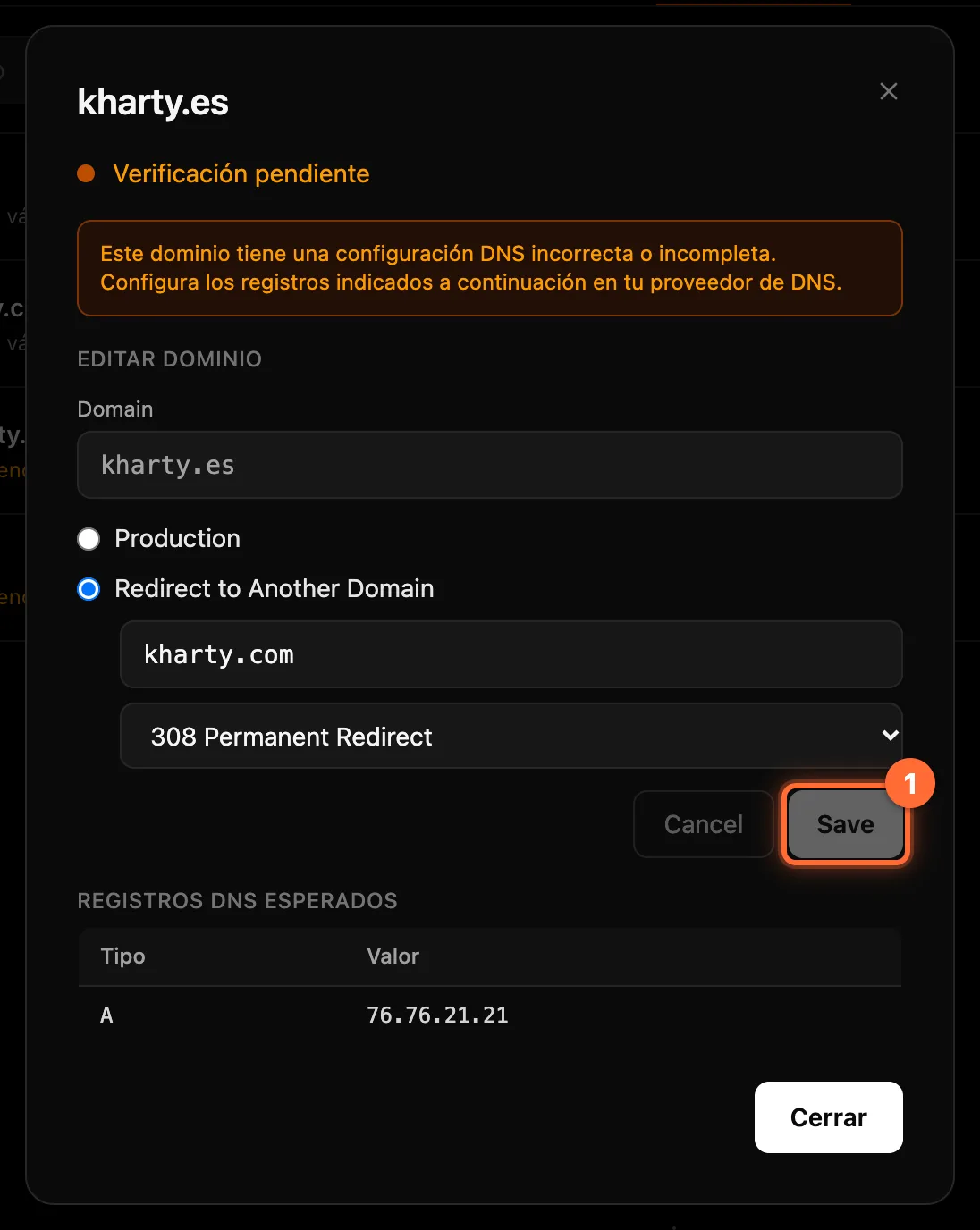
① Choose "Production" (the domain shows the published website) or "Redirect to Another Domain". ② With a redirect, type the target domain, just the name and without "https://" (for example, kharty.com). It cannot be the domain itself. ③ Choose the code: "308 Permanent Redirect" (lasting, the default) or "307 Temporary Redirect" (temporary). In the example we switch kharty.es from 307 to 308. ④ Click "Save". The button only becomes active when there is a valid change; "Cancel" discards the changes. To stop redirecting, choose "Production" and save.
If the target is not valid, the field says so ("Formato de dominio de destino inválido", invalid target domain format, or "El destino no puede ser el propio dominio", the target cannot be the domain itself); if the provider rejects the change, the reason appears in red in the window.
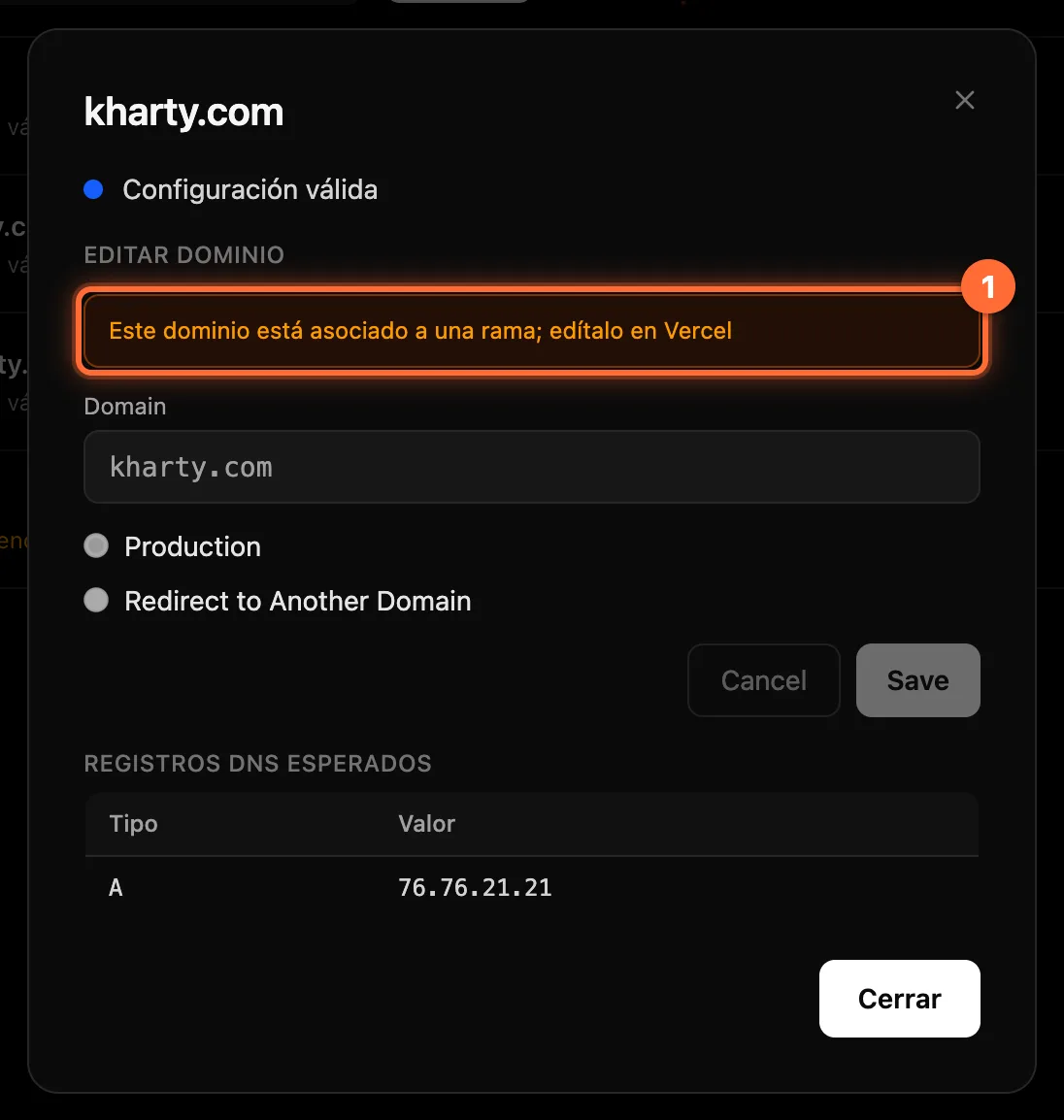
⚠ A domain tied to a git branch cannot be edited from the panel: the form is disabled with the notice "Este dominio está asociado a una rama; edítalo en Vercel" (this domain is tied to a branch; edit it in Vercel).
Step 4
Check that it has been saved
No confirmation message appears: the "Save" button (①) goes back to being disabled, with the saved data. Click "Cerrar" (Close): the row in the list shows the new code and destination (②).
Step 5
Read the DNS record you need to configure
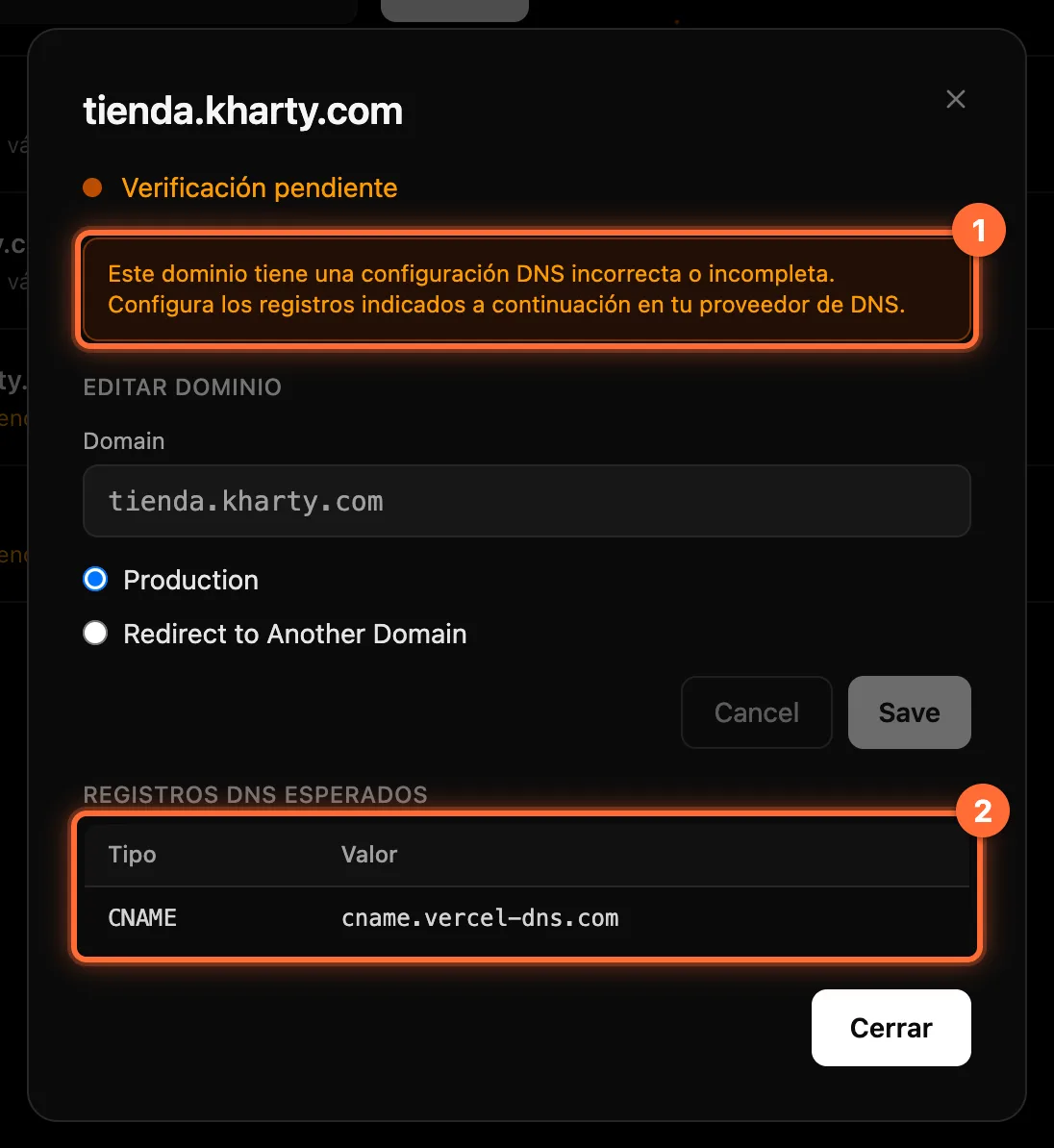
"Registros DNS esperados" shows a single record: the recommended one, with its type and value. For a domain without a subdomain, such as kharty.es, it is usually an A record; for a subdomain, such as tienda.kharty.com, a CNAME. If the domain is not correctly configured, a notice (①) reminds you.
Create that record (②) in your domain or DNS provider's panel, copying the type and the value exactly as the panel shows them. If there is none, the table says "No hay registros DNS esperados para este dominio" (no expected DNS records for this domain).
Step 6
Check again with "Refresh"
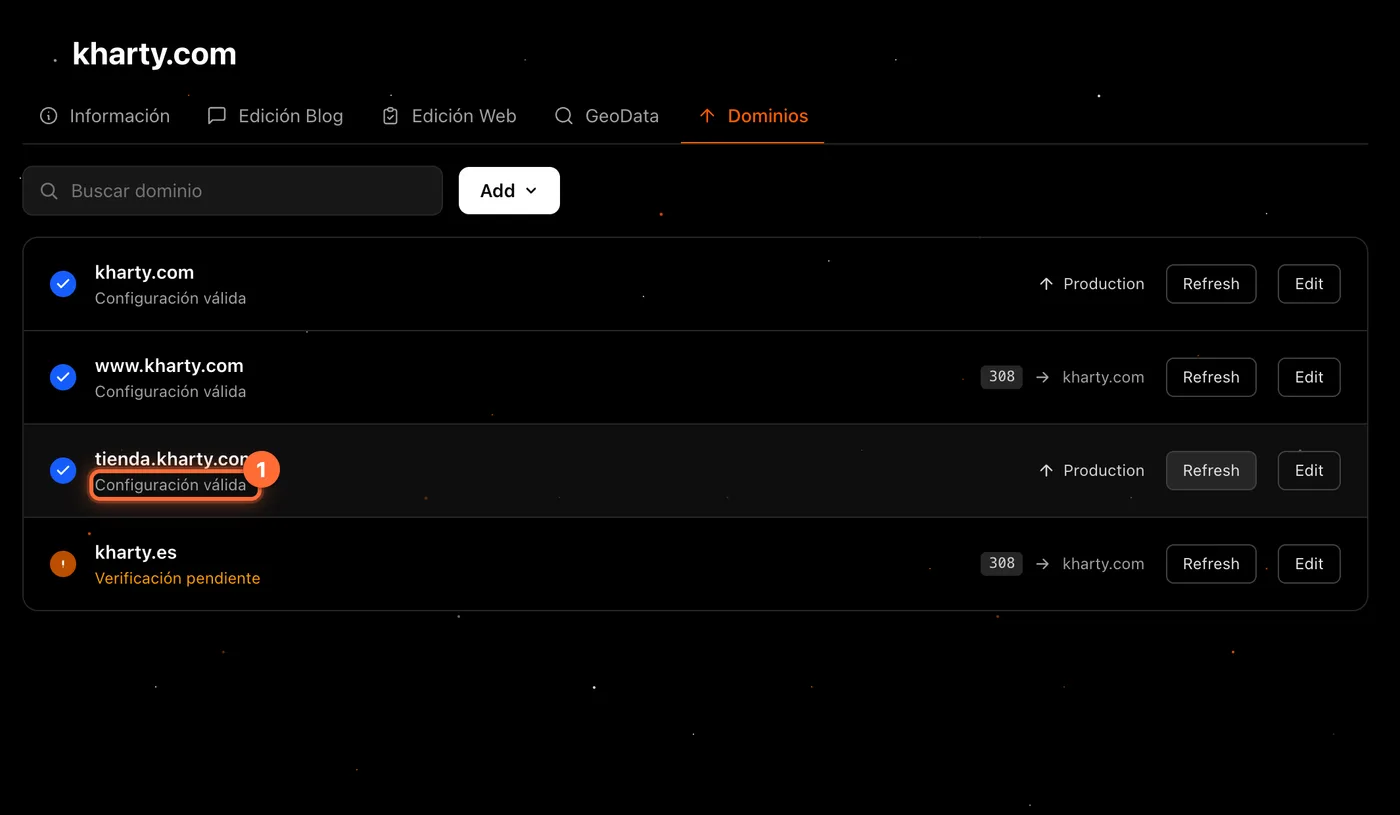
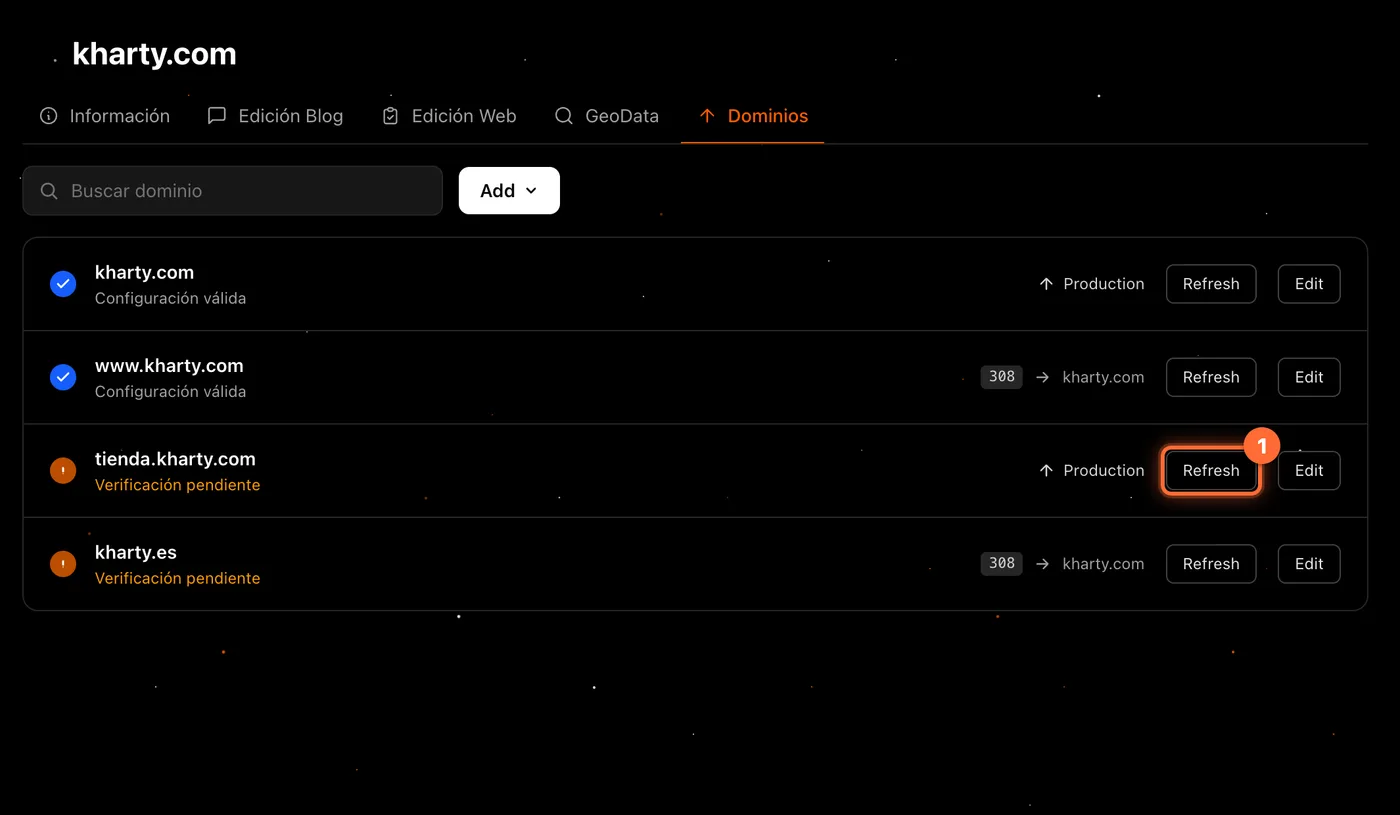
DNS changes can take a while to apply. Once some time has passed, click "Refresh" on the domain's row (①). If the DNS is now correct, the row goes from "Verificación pendiente" to "Configuración válida" (②).
Step 7
What the client sees
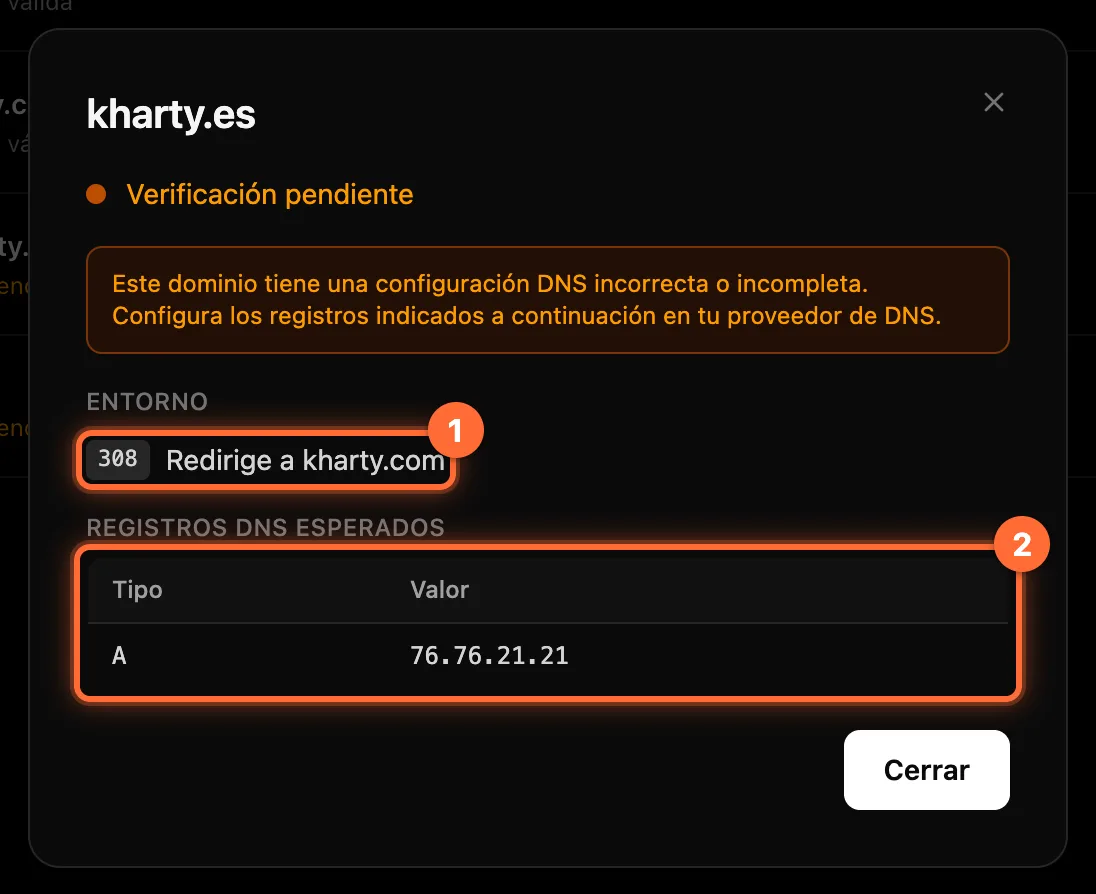
The website's client sees the domain list without the "Add" button, and with "Edit" opens a read-only detail: the "Entorno" (Environment) field, with "Production", "Sin entorno" (no environment) or the redirect ("308 Redirige a kharty.com", ①), and the "Registros DNS esperados" (②). They do not see the form or the "Save" button.
Frequently asked questions
What is the difference between 307 and 308?
They are the two codes the panel offers: "308 Permanent Redirect", for a lasting redirect (the default when editing), and "307 Temporary Redirect", for a temporary one.
Can I change the domain's name?
No: the "Domain" field is read-only. Add the right domain with "Add" (guide "How to add a domain to your website").
Why does one domain show an A record and another a CNAME?
The panel shows the recommended record for each domain: normally an A for a domain without a subdomain and a CNAME for a subdomain. Copy the one shown in each domain's detail.
It is still "Verificación pendiente" although I created the record, why?
DNS changes can take a while to apply. Check that the type and value match the panel's, wait a while and click "Refresh" again. If it stays the same, contact support.