
Panel: Domains
How to add a domain to your website and connect it
Before you start
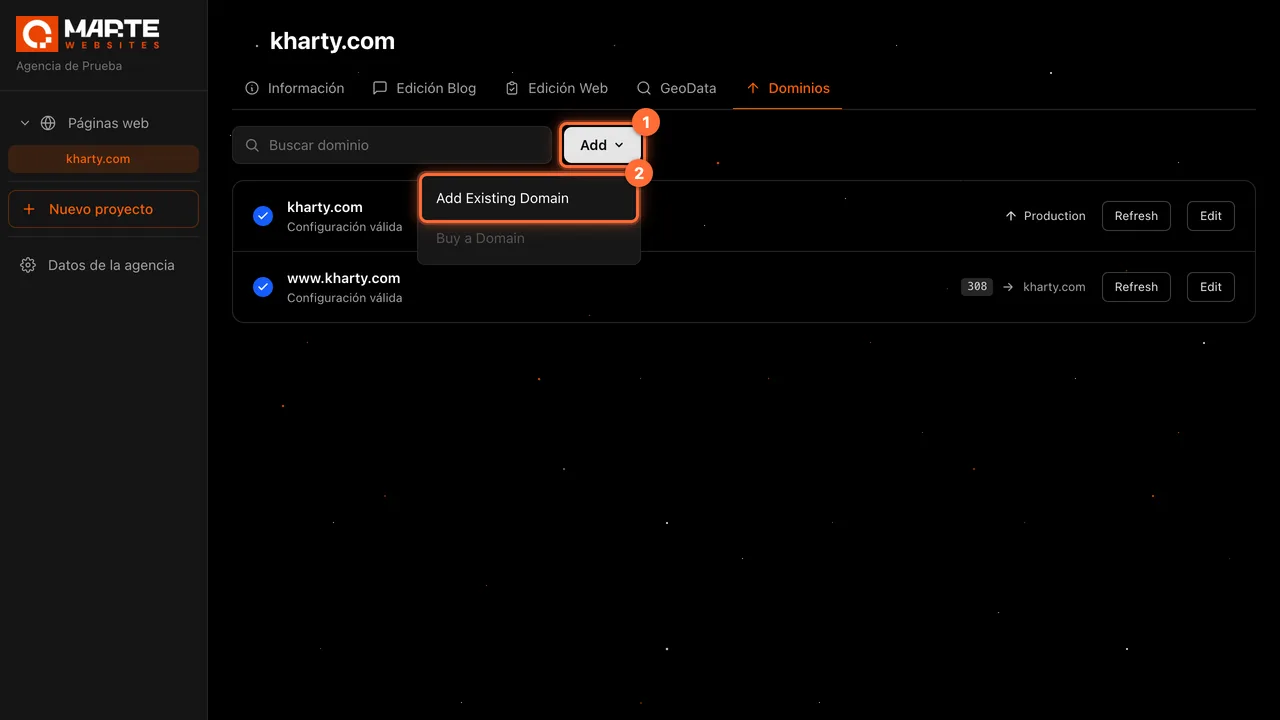
In the "Dominios" (Domains) tab of each website you can add the domains you have already registered: the "Add" button and the "Add Existing Domain" option. Buying a domain from the panel is not available ("Buy a Domain" is greyed out). The website's agency and the aMarte team can add domains; the client sees the list but not the "Add" button. You can leave the domain connected to "Production" (the published website) or make it redirect to another domain of the same website.
Tip: Some labels in this tab ("Add", "Add Domain", "Production"…) are in English in the panel. This guide quotes them exactly as they appear; the rest of the panel is in Spanish.
Step by step
Step 1
Open the website's "Dominios" tab
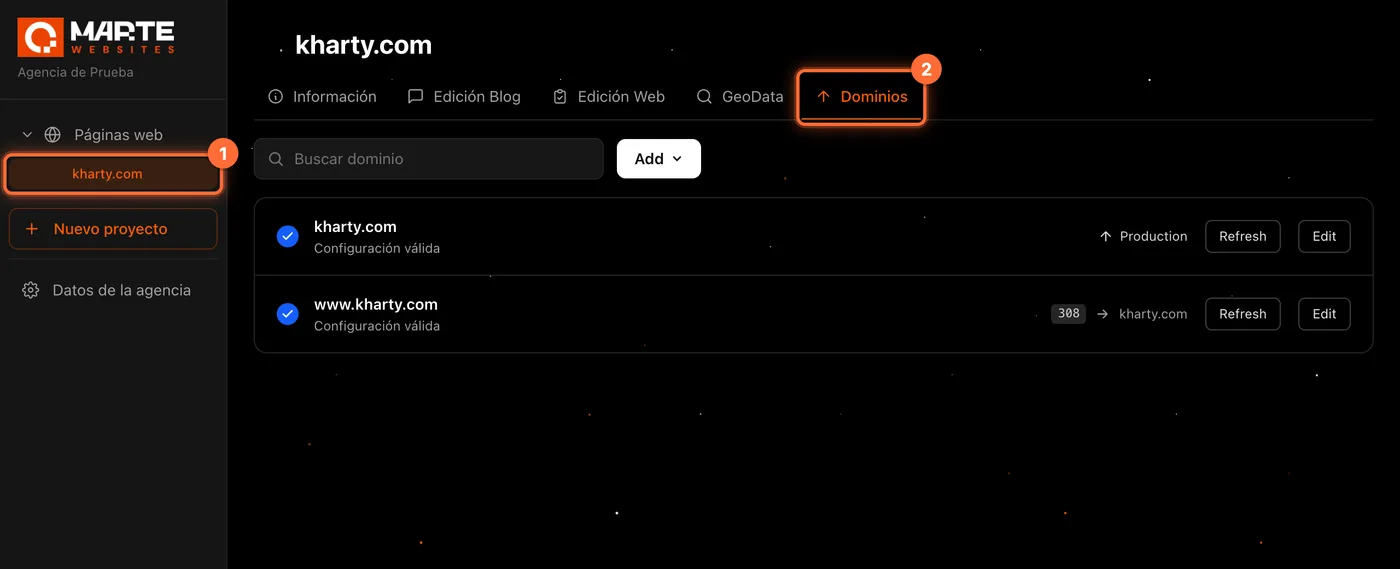
Sign in to the panel, click the website in the left-hand menu (①) and open the "Dominios" tab (②).
You will see the website's domain list. Each row shows the status ("Configuración válida", valid configuration, or "Verificación pendiente", verification pending) and where the domain leads: "Production", or the redirect code followed by the target domain.
If the tab says the website is not yet linked to any Vercel project, you will not be able to add domains until the aMarte team links it.
Step 2
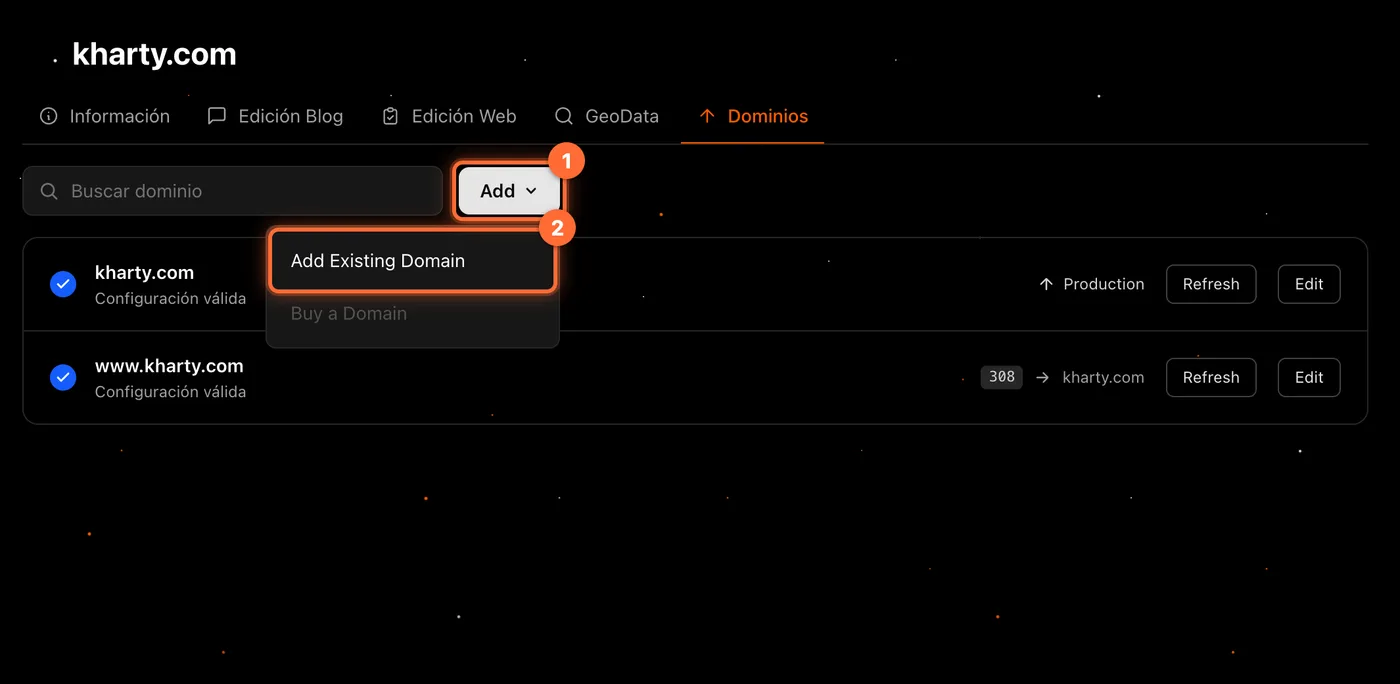
Click "Add" and choose "Add Existing Domain"
At the top, next to the search box, click the "Add" button (①) and choose "Add Existing Domain" (②) from the menu. The other option, "Buy a Domain", is greyed out.
Step 3
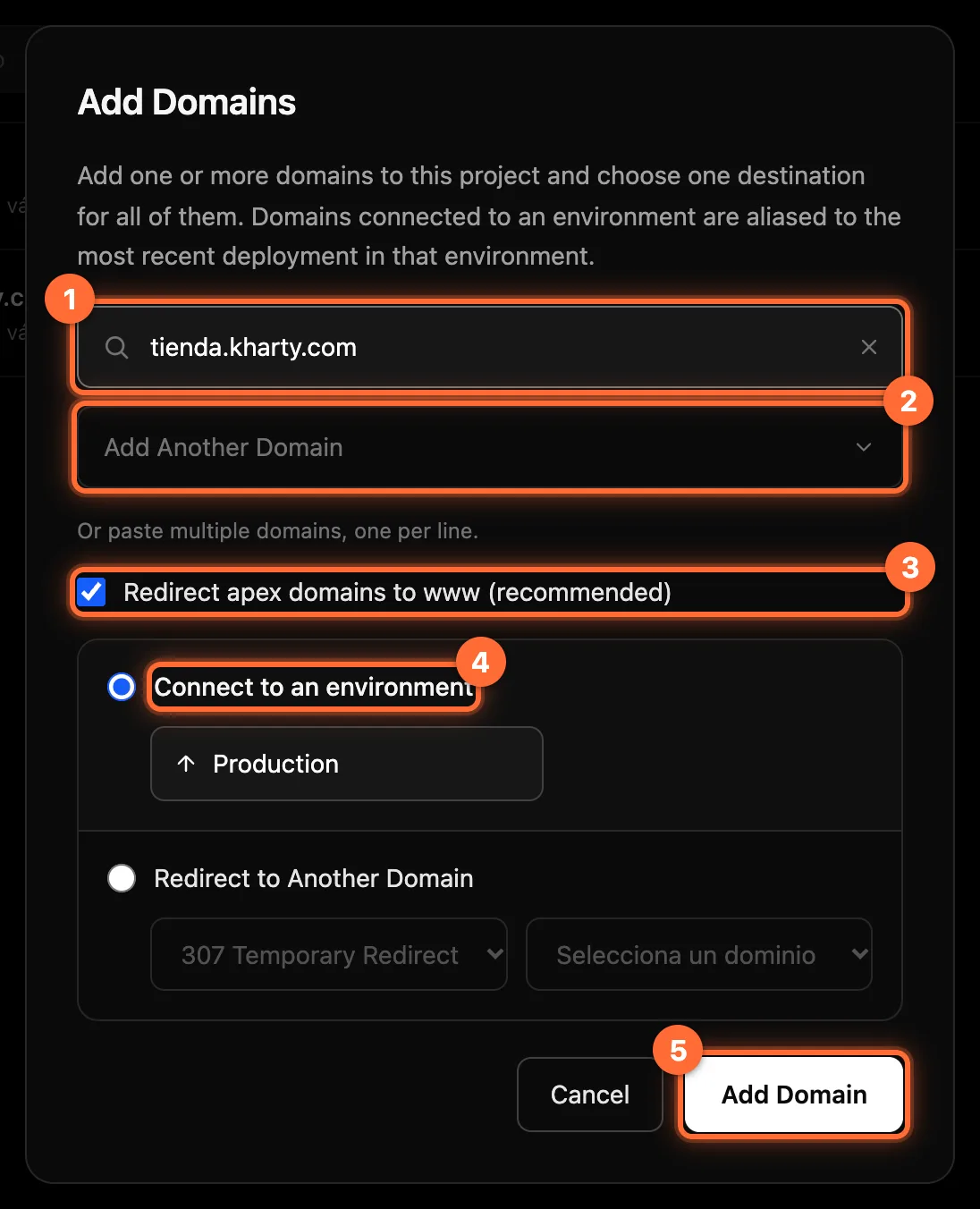
Type the domain and choose where it leads
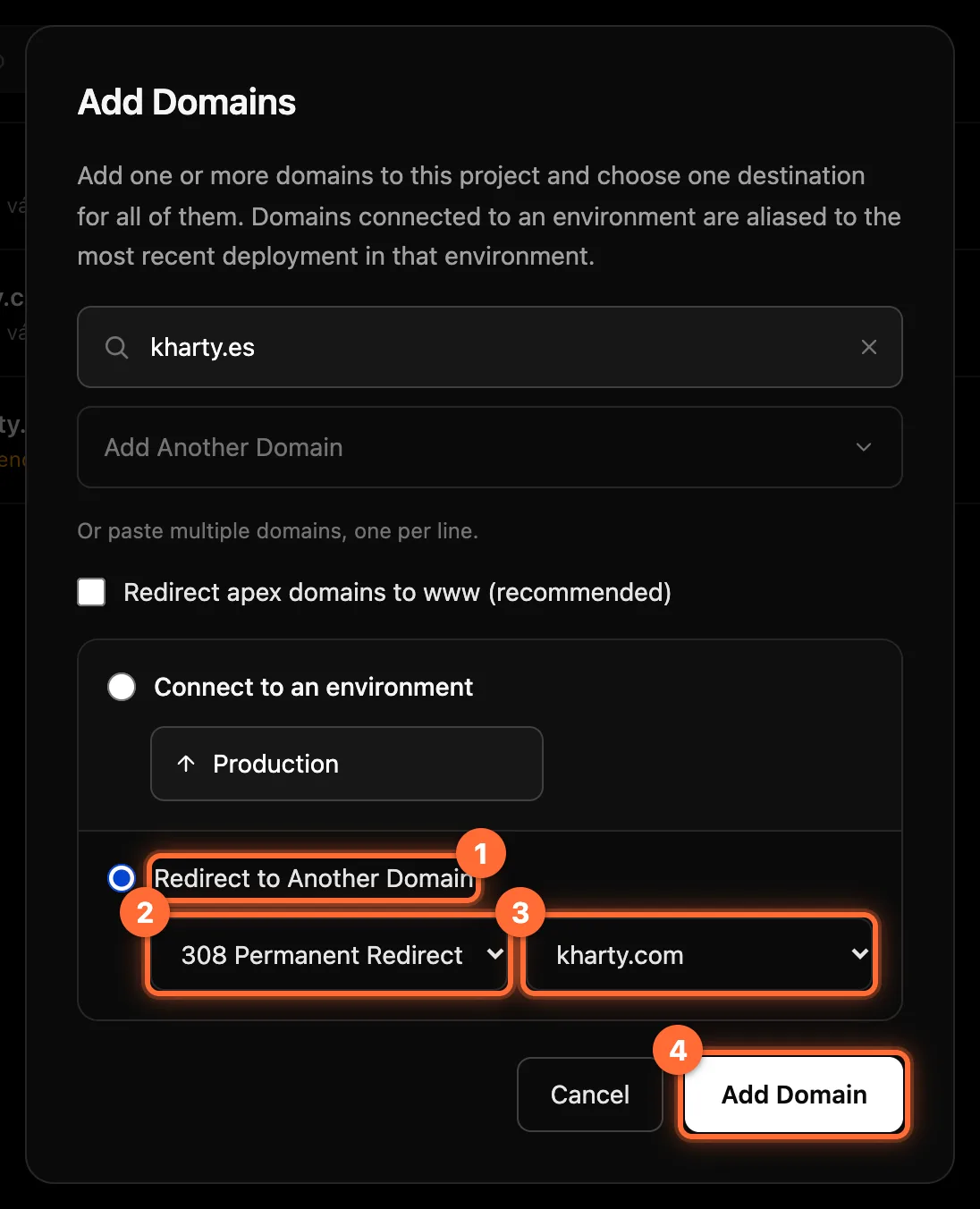
The "Add Domains" window opens: ① Type the domain, just the name and without "https://" (for example, tienda.kharty.com). If it is not valid, "Formato de dominio inválido" (invalid domain format) appears under the field. ② To add several at once, click "Add Another Domain" or paste a list with one domain per line. All the domains in the same window get the same destination. ③ "Redirect apex domains to www (recommended)" is ticked by default. It only affects a domain without a subdomain, such as kharty.com: when you add it, the panel also adds www.kharty.com with a permanent redirect (308) to kharty.com. It does not affect a subdomain such as tienda.kharty.com. Untick it if you do not want the "www" to be added. ④ "Connect to an environment" leaves the domain connected to "Production", the only environment available. ⑤ Click "Add Domain".
Step 4
Check the result
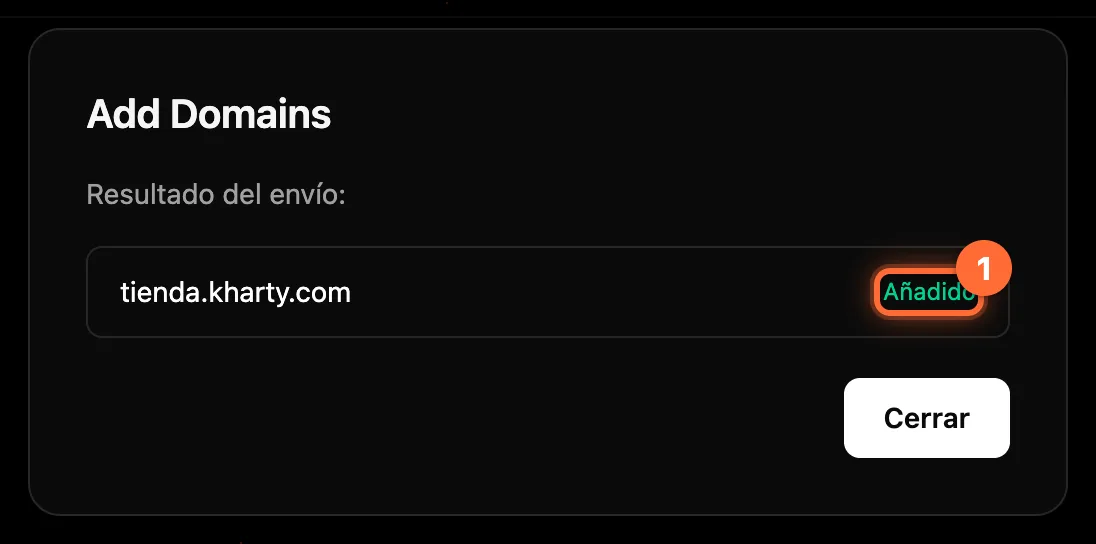
The window shows the "Resultado del envío" (submission result): each domain appears with "Añadido" (added, ①) or, if it could not be added, with the reason in red, for example that it is already in the website ("El dominio ya está en el proyecto") or in use by another project. A failure on one domain does not stop the others from being added.
Click "Cerrar" (Close): the list in the tab refreshes with the new domains.
Step 5
Check the list
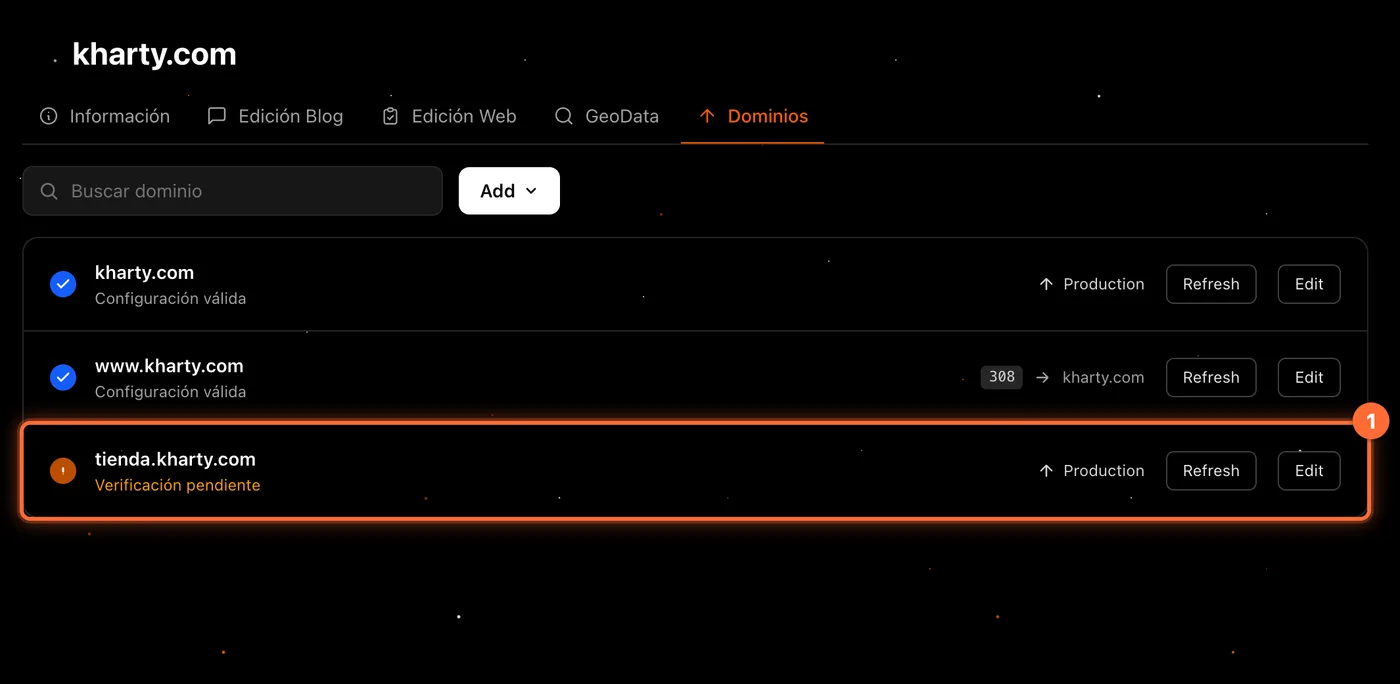
The new domain appears in the list (①) with its destination: "Production". While the domain's DNS is not correctly configured, the row shows "Verificación pendiente". To find out which DNS record to create at your provider and how to check again with "Refresh", see the guide "How to edit a domain and its redirect".
Step 6
Alternative: redirect the domain to another one
If you want the new domain to lead to another domain of the website, in Step 3 choose "Redirect to Another Domain" (①), the redirect code (②) and the target domain (③). The codes are "308 Permanent Redirect" (for a lasting redirect) and "307 Temporary Redirect" (for a temporary one). The target is chosen among the domains the website already has ("Selecciona un dominio").
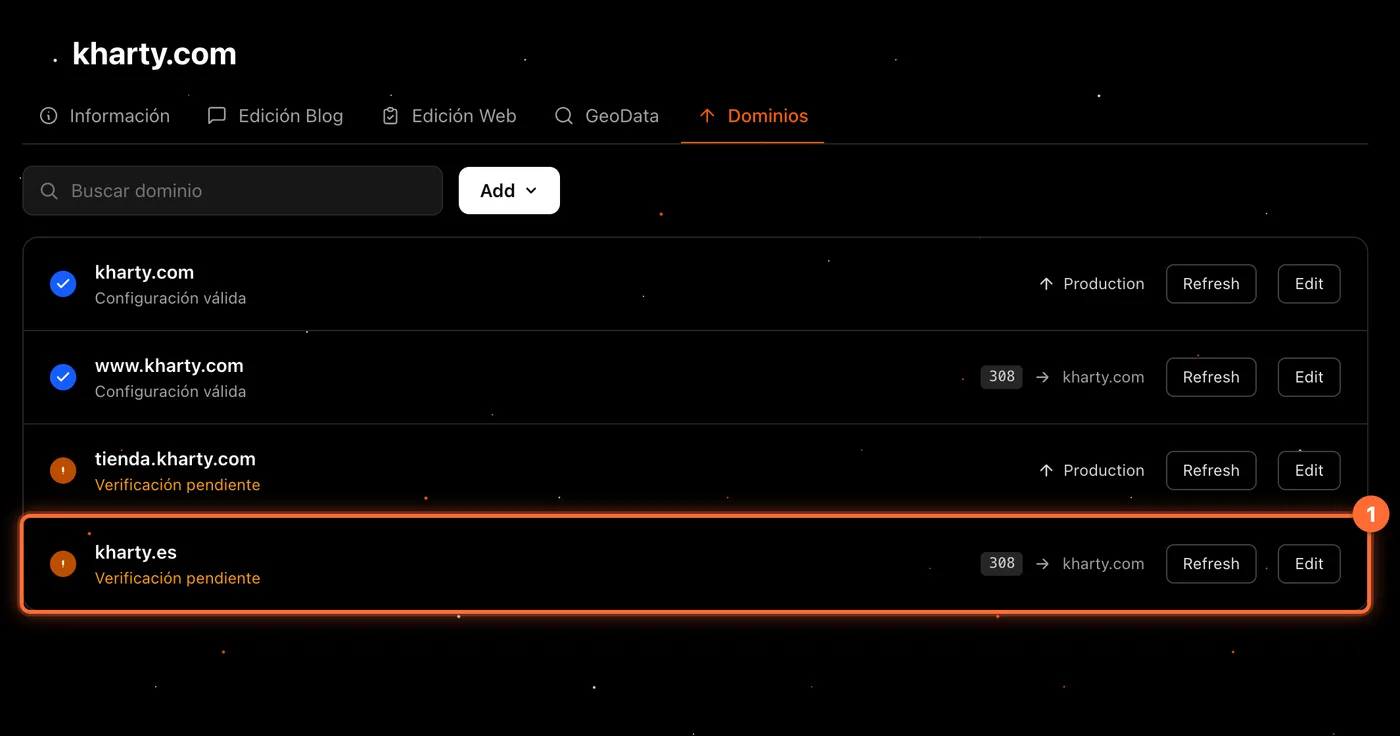
In the example, kharty.es redirects with a 308 to kharty.com, and "Redirect apex domains to www" has been unticked so that www.kharty.es is not added. Click "Add Domain" (④). In the list, the row shows the code, an arrow and the target domain.
Frequently asked questions
Can I buy a domain from the panel?
No. The panel adds domains you have already registered. "Buy a Domain" is greyed out in the "Add" menu.
Why does it say "Verificación pendiente"?
Because the domain's DNS does not yet point where it should. Create the record shown in the domain's detail at your DNS provider and click "Refresh". The guide "How to edit a domain and its redirect" explains it.
The result says the domain is in use by another project. What do I do?
That message comes from the provider as is: the domain is already associated with another project and has to be released there before adding it to this website. If you don't know how, contact support.
Can I delete a domain from the panel?
No, the panel only lets you add and edit domains. To delete one, contact support.
What does the client see in this tab?
The domain list and, with "Edit", the detail in read-only mode. They do not see the "Add" button.