
SEO · Basic setup
Where do I write the meta description?
The meta description is the text that appears below the title in Google results, and when you share a link on social media. Here we show you exactly where to find it in the Marte editor.
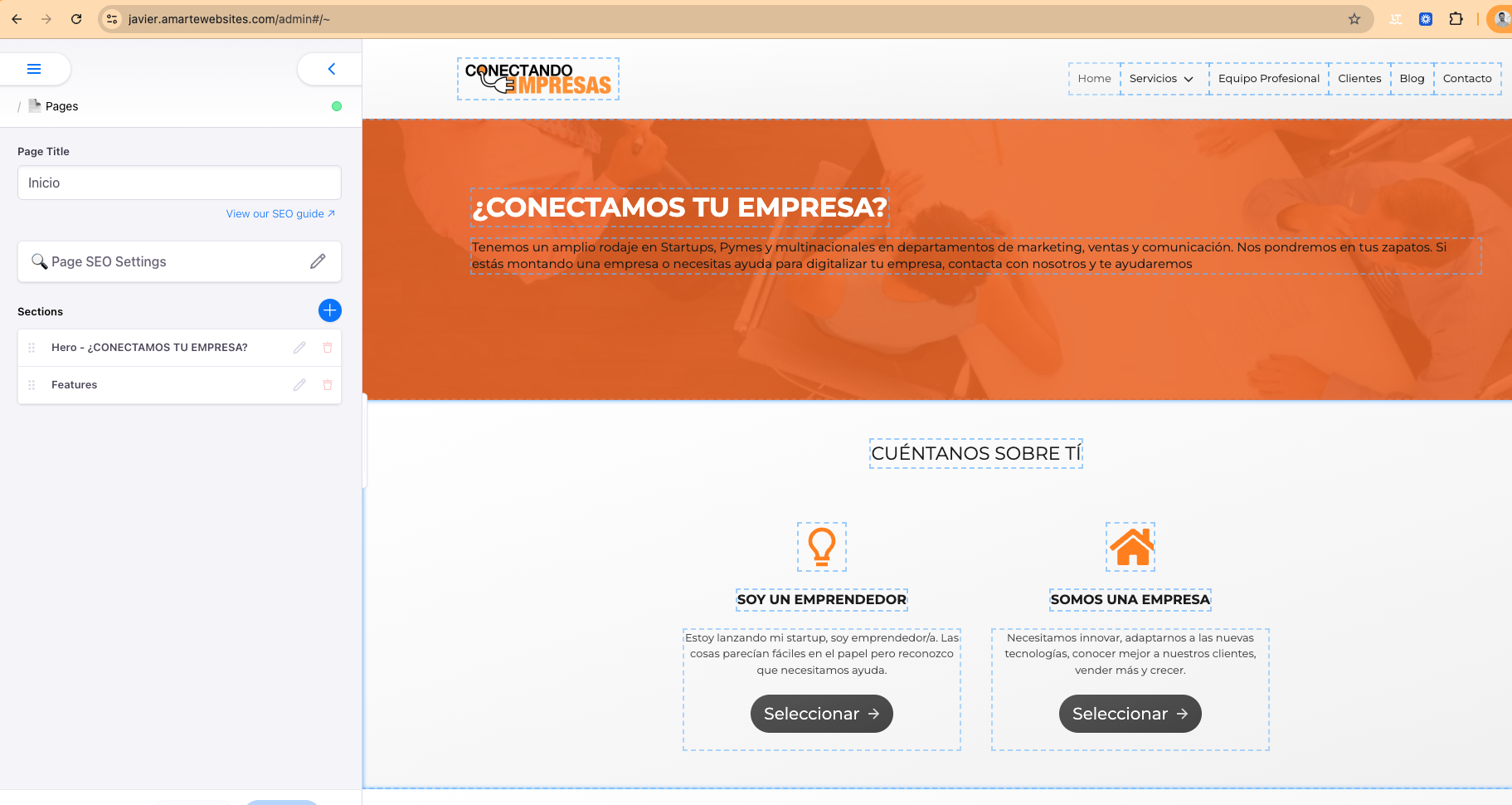
Step 1
Open the editor and go to the SEO section
Access the Marte editor and open the page you want to edit. In the left panel you will see the "Page SEO Settings" section. This section contains all the fields related to how your page appears in search engines.
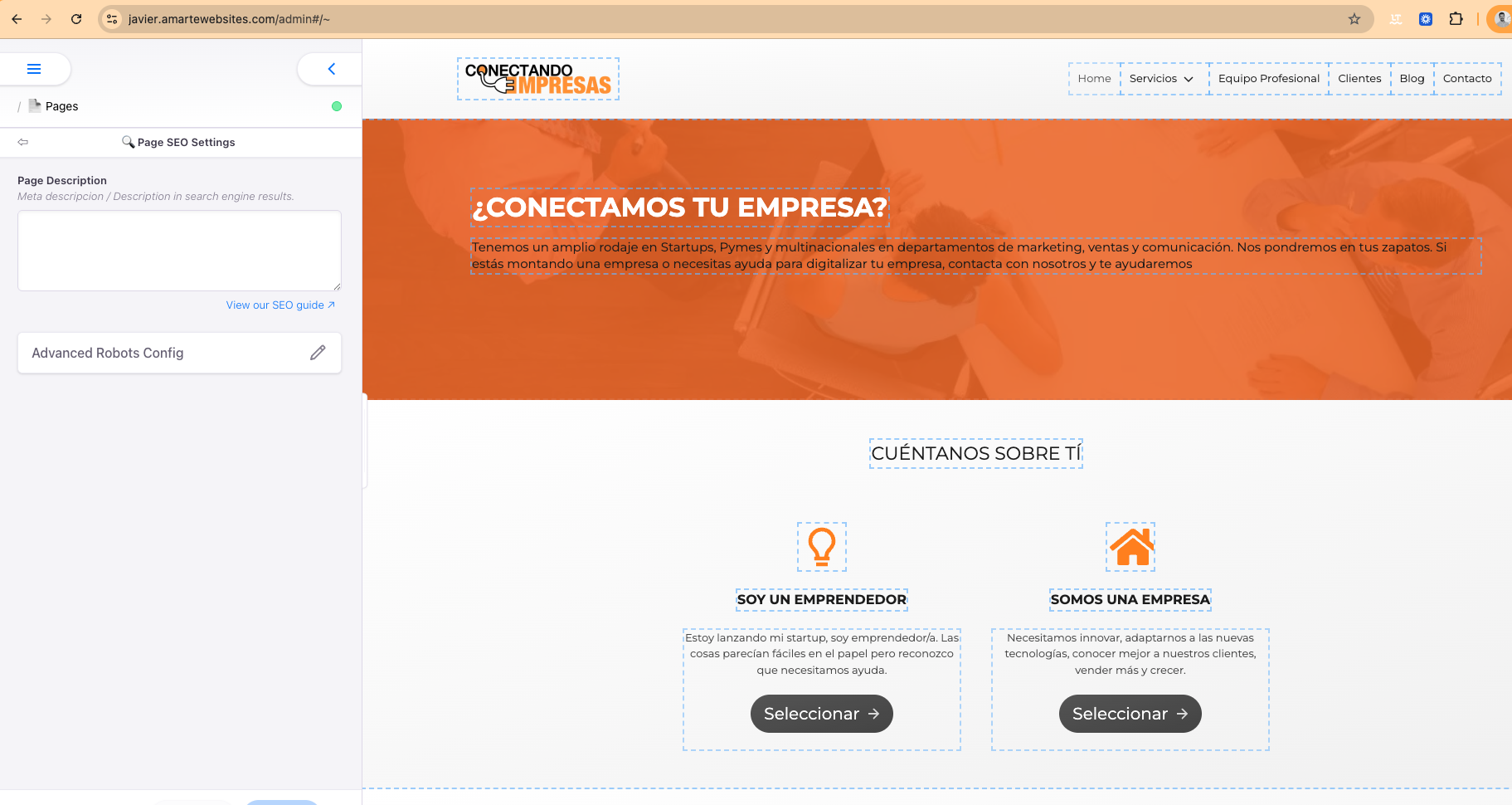
Step 2
Write in the "Page Description" field
Inside "Page SEO Settings" you will find the "Page Description" field. That is the meta description field. Click the pencil icon to edit it and write a text between 70 and 155 characters that explains what the page is about and invites visitors to click.
Tip
What should I write in the meta description?
The meta description does not directly affect SEO ranking, but it does influence whether users decide to visit your page or not.
Write text that sparks curiosity or communicates the main benefit of the page. No need to repeat keywords: the important thing is that the text invites people to click.
Ideal length: between 70 and 155 characters.