
Panel: your website
How to see your website's funnels
Before you start
A funnel shows how many of your visitors take, one after another, the steps you care about, for example: landing on the website, viewing the prices and clicking "Buy". Your website's funnels are in the "Tráfico" (Traffic) tab of the panel. This guide shows you how to get to them.
Tip: In this guide we use the www.amartewebsites.com website as an example. In your panel you will see your own website.
Step by step
Step 1
Open your website
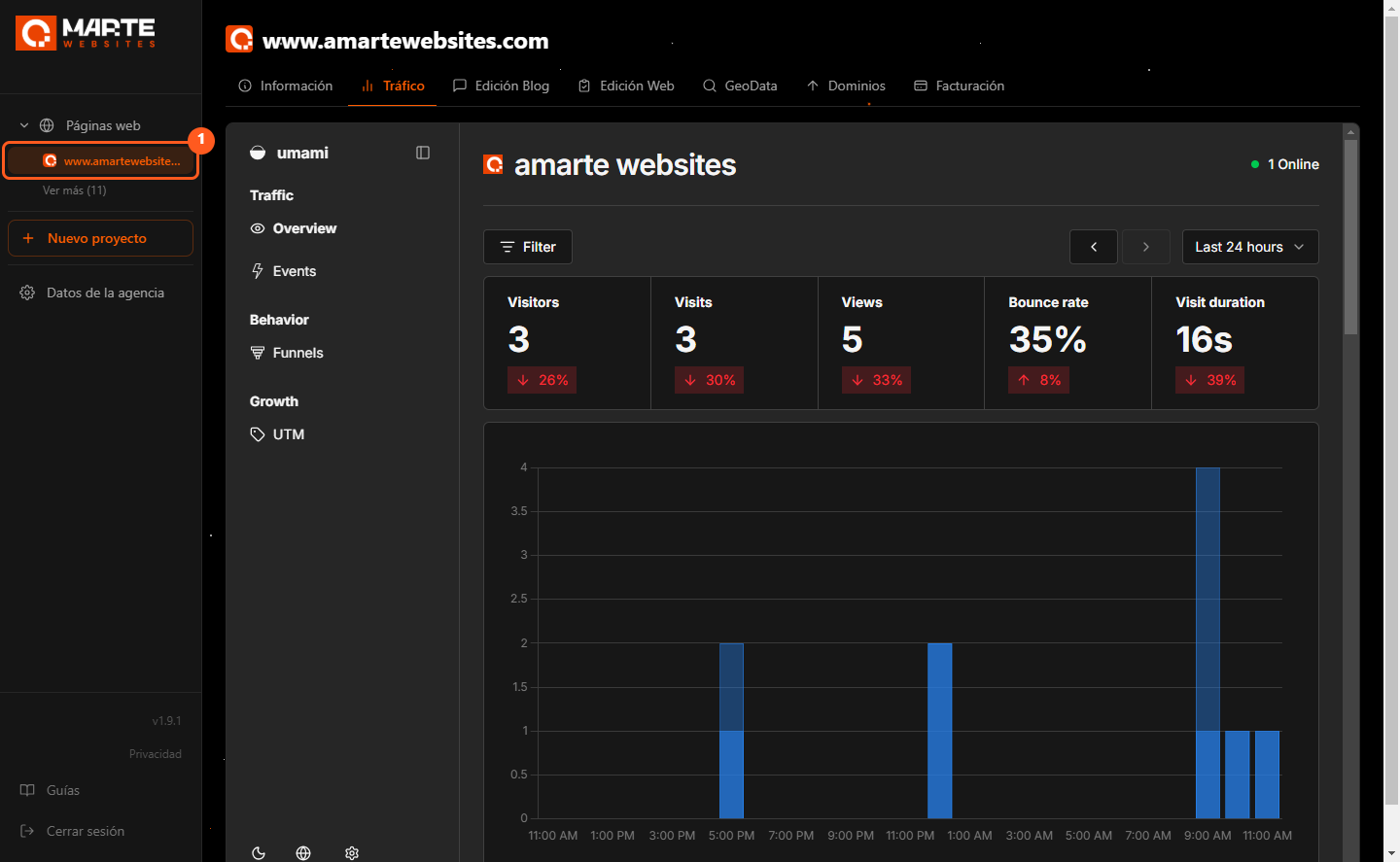
Sign in to the panel and, in the left-hand menu, under "Páginas web" (Websites), click your website (①).
Step 2
Open the "Tráfico" tab
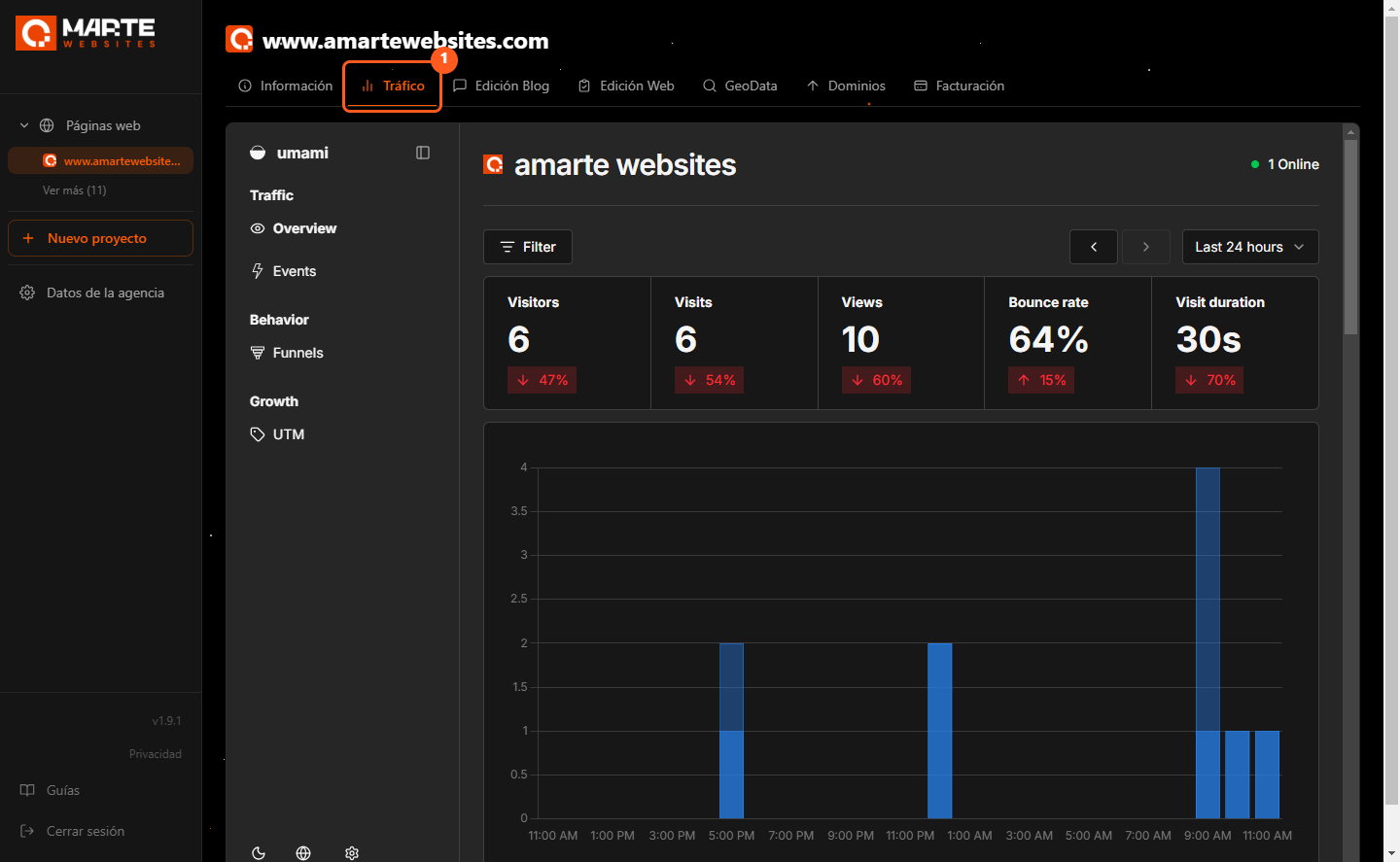
Your website's tabs are at the top. Click "Tráfico" (Traffic) (①): you will see your website's visit statistics.
Step 3
Click "Funnels"
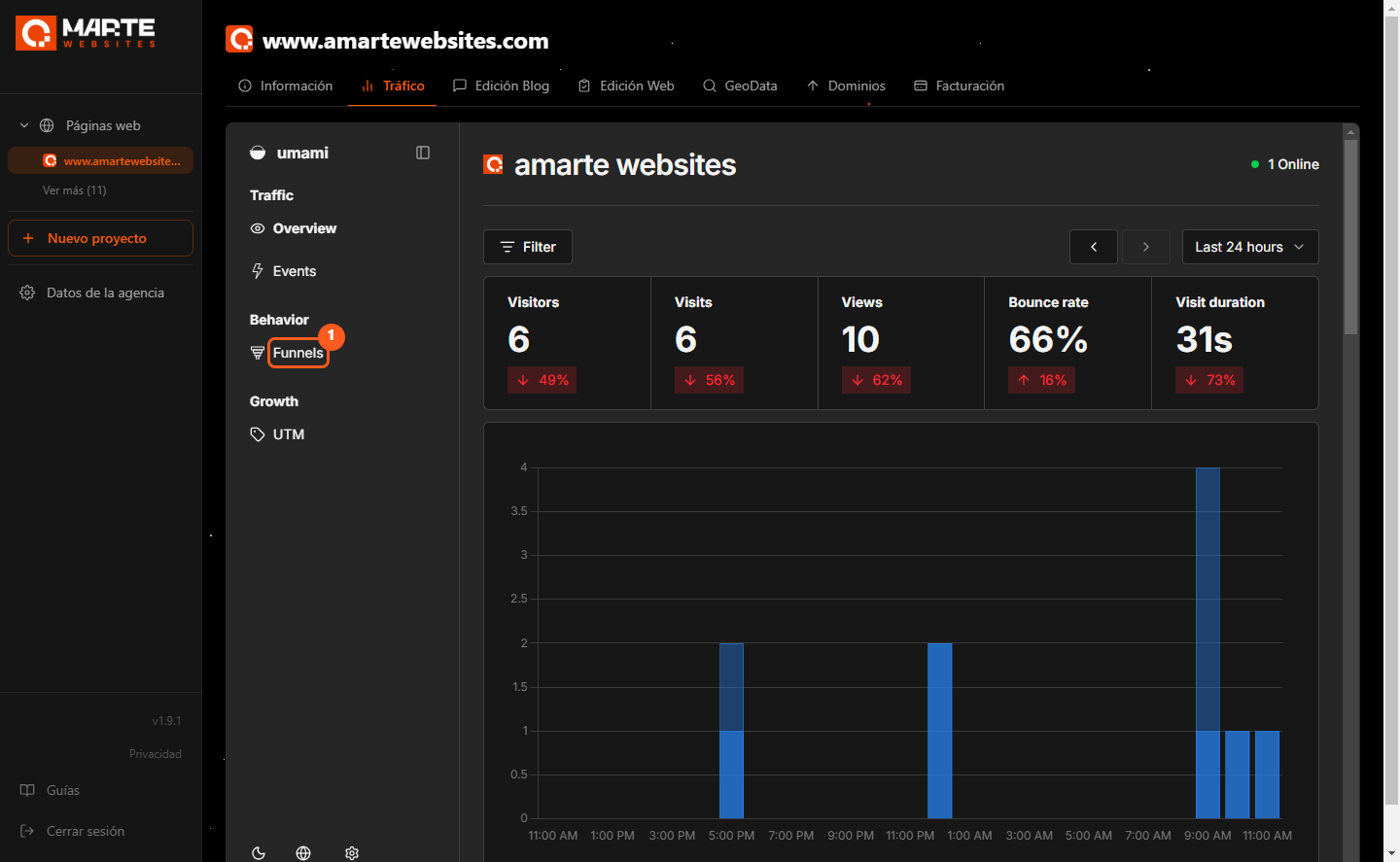
Inside "Tráfico" there is a menu on the left. Under "Behavior", click "Funnels" (①).
If the menu is collapsed and you only see icons, it is the funnel icon.
Step 4
Look at your funnels
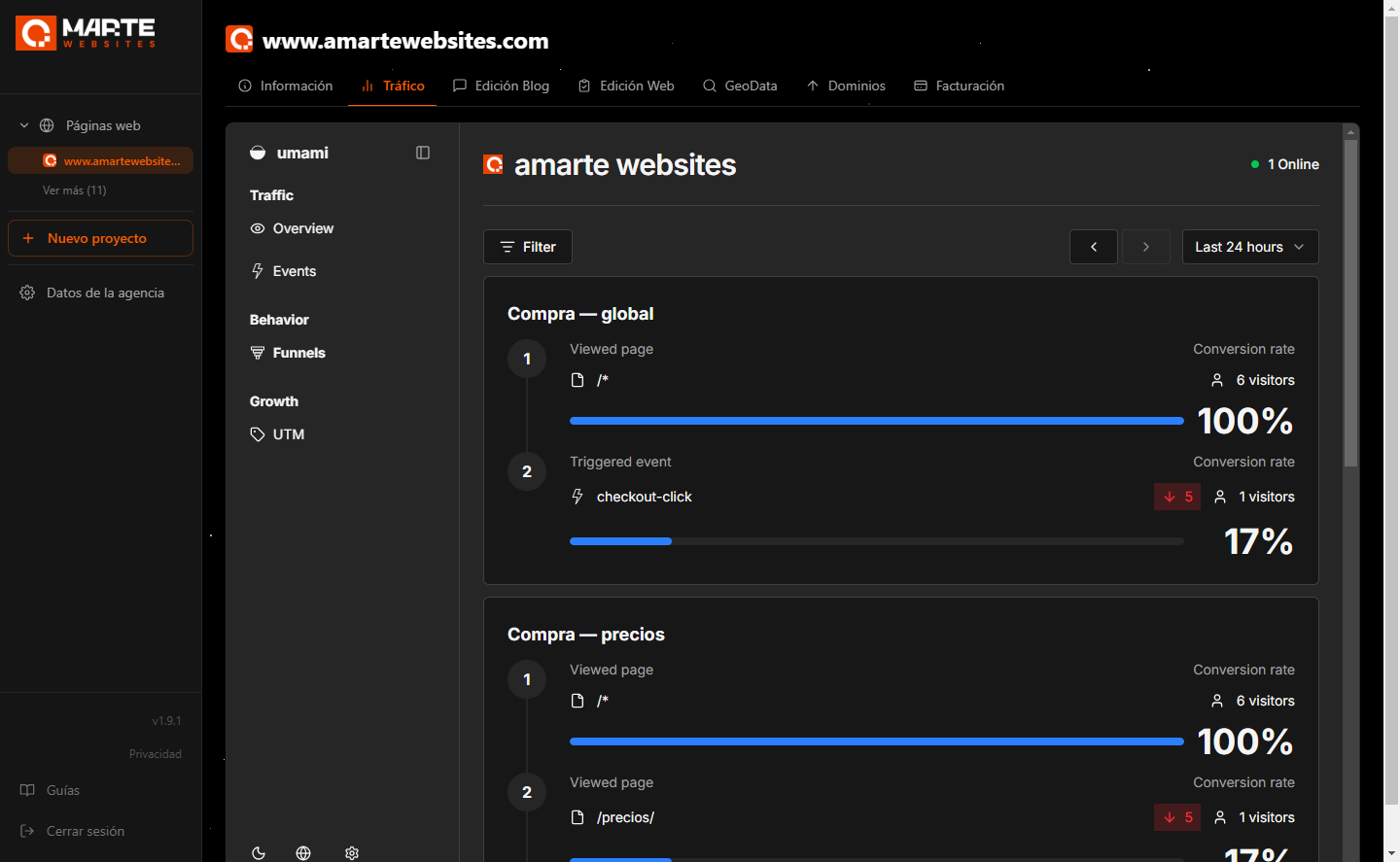
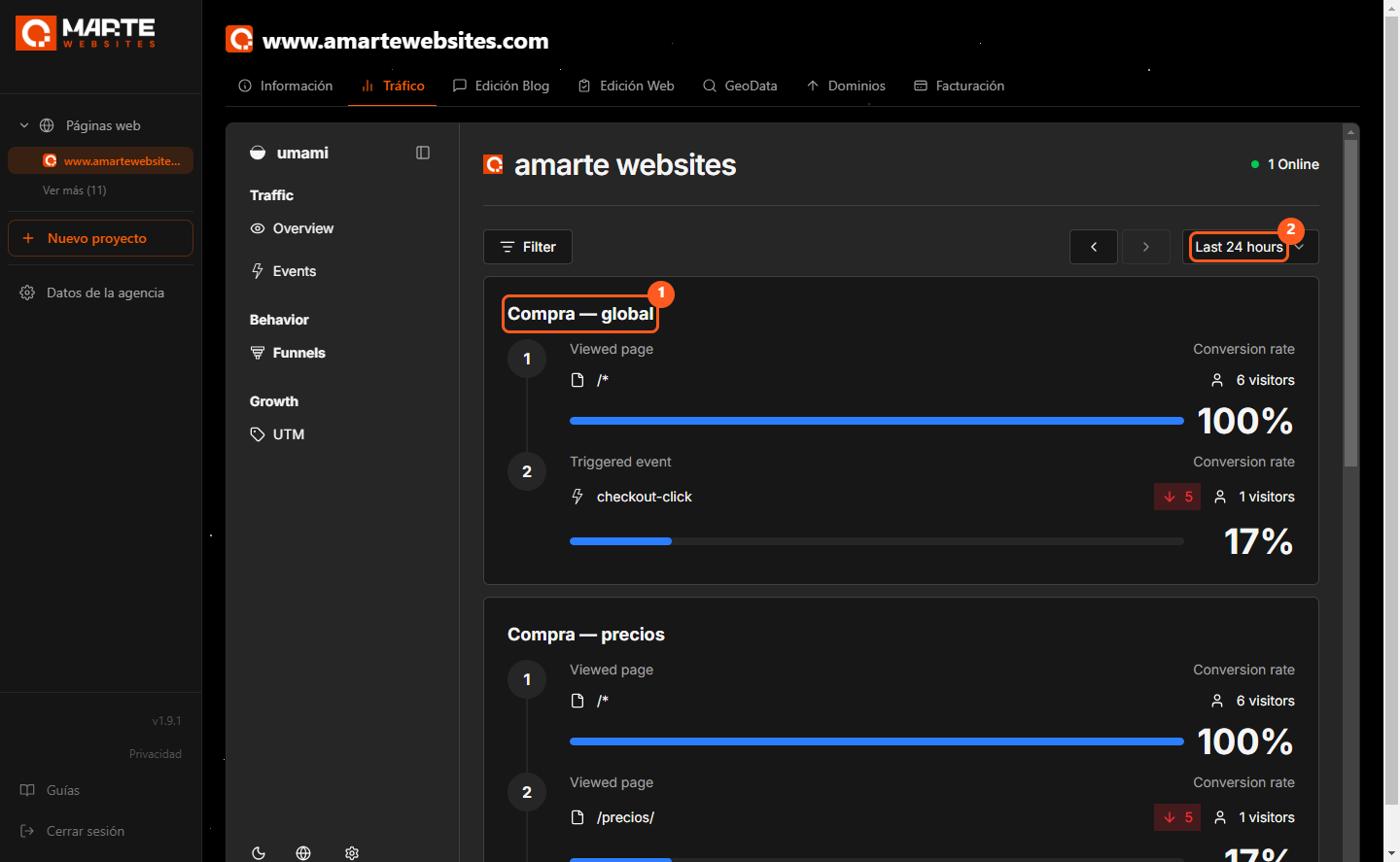
Your website's funnels appear one below the other. Each one shows its name (①), its steps and the visitors who reach each step.
At the top right you can change the dates (②).
Frequently asked questions
I can't see the "Tráfico" tab. What should I do?
Write to us and we'll enable it for your website.
Can I see it in another language?
Yes. At the bottom of the left-hand menu of "Tráfico", click the globe icon and choose your language.
I don't see any funnel
Your website doesn't have any funnels yet. Write to us if you want to measure a journey.